
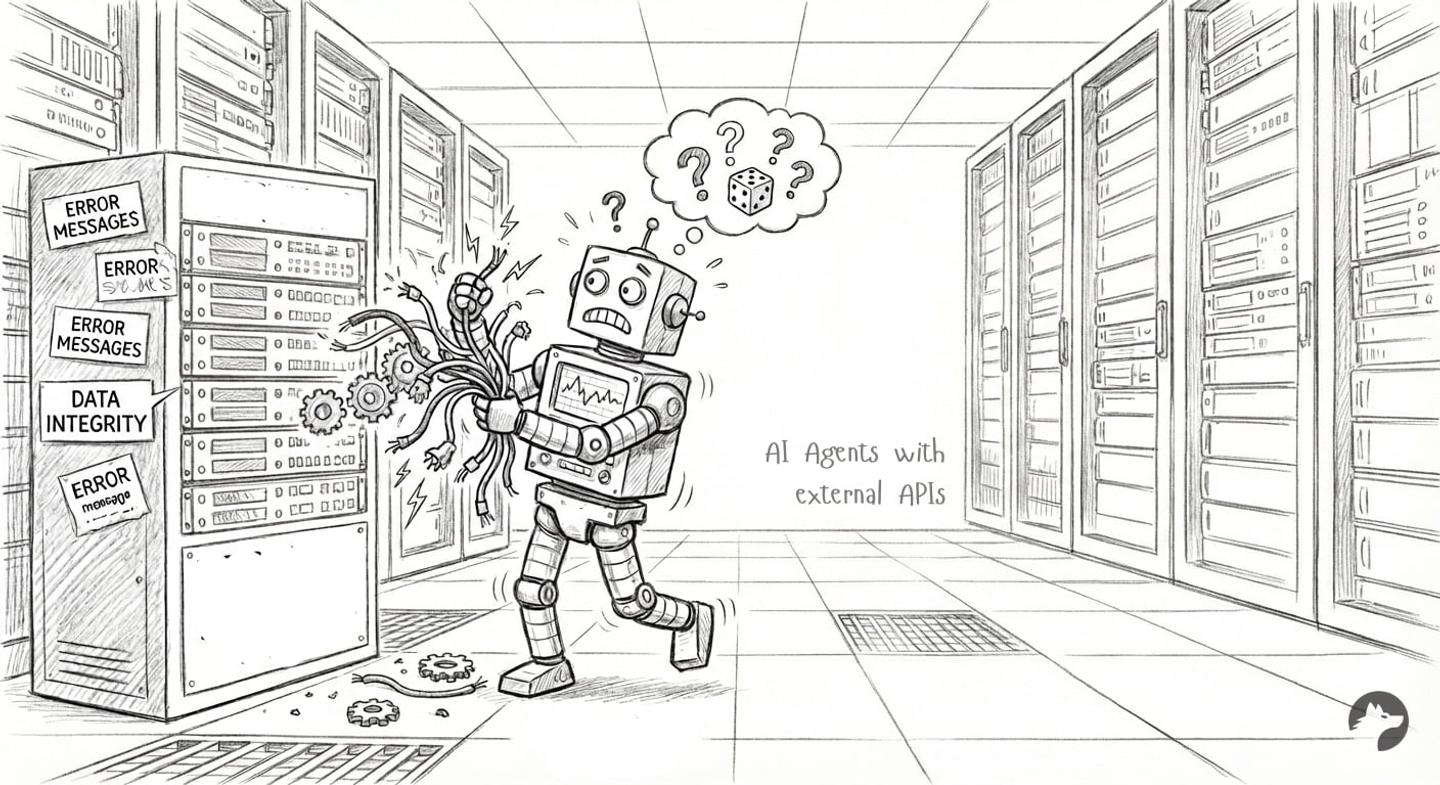
Integrating Large Language Model (LLM) AI Agents with external APIs poses a fundamental architectural challenge. LLMs are probabilistic engines, while external APIs require deterministic inputs. Connecting the two directly causes reliability issues.
Even with identical inputs, an LLM might generate varying outputs, select different tools, or hallucinate parameters. The most effective way to improve AI agent tool-call reliability with API integrations is to move deterministic logic out of the LLM’s reasoning loop and into your tool’s execution code. Reducing the LLM’s decision matrix stabilizes your AI agent.
This guide explains why AI agent tool calls fail during API integrations and outlines architectural improvements to enhance AI agent tool call reliability.
Why reliable tool calls matter
Exposing a raw OpenAPI spec directly to an AI agent introduces significant production risks.
| Risk | Production Impact |
|---|---|
| Latency | LLMs add hundreds of milliseconds per reasoning step. Incorrect tool selection and retries add seconds, degrading the user experience. |
| Data Integrity | Confused agents can create duplicate records, send malformed emails to users, or corrupt data by hallucinating incorrect enum values. |
| Cost | Every retry burns tokens. An agent that retries tool calls 30% of the time inflates your operational costs. |
Step 1: Design custom tools tailored to user intent
This is the highest-impact architectural change you can make. For example, imagine your AI agent should frequently upsert contacts in a CRM: Check if they exist; if so, update the existing record, if not, create a new one.
Many teams start by auto-generating tools from an OpenAPI spec or wrapping external API endpoints directly and exposing them to the agent (e.g., createContact, updateContact, searchContact).
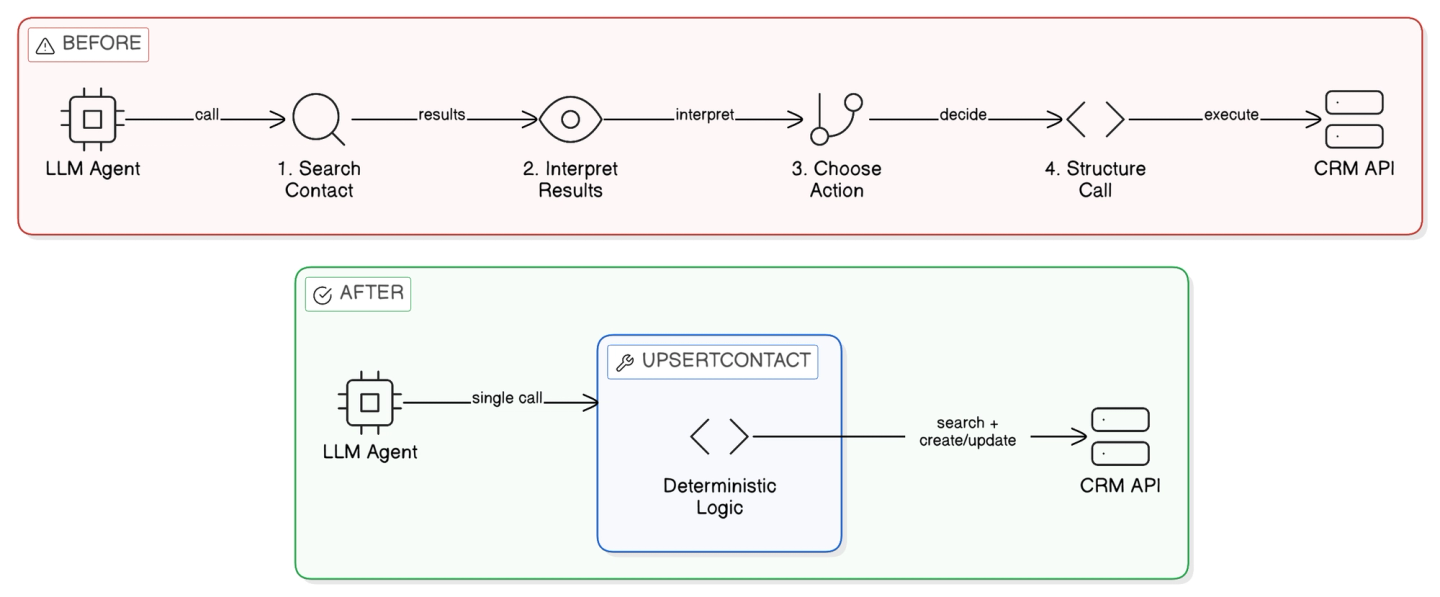
This forces the LLM to handle necessary business logic. To save a contact, the agent must:
- Call
searchContact. - Interpret the results to determine existence.
- Choose between
createContactandupdateContact. - Structure the subsequent call correctly.
That is four distinct places an AI Agent can fail.
Instead, expose tools designed around actual user outcomes, such as upsertContact. Handle the deterministic logic entirely within the tool’s code.
function upsertContact(name, email, company, notes) {
  const existing = crm.searchContacts({ email });
  if (existing && existing.length > 0) {
    return crm.updateContact(existing[0].id, { notes });
  } else {
    return crm.createContact({ name, email, company, notes });
  }
}
Now the agent makes one decision and one call instead of four. You have increased the success rate by moving logic into code.
**Tip:***AI Coding agents are now really good at building these custom tool calls, provided they have the proper framework and tooling. *Nango can help you run auth and has pre-built AI skills to help you quickly author custom tools with your favorite coding agent on the platform.
Step 2: Reduce tool output & format
External APIs often return massive JSON payloads. Sending a 50KB raw contact object into your AI Agent context wastes tokens and distracts the model.
Process the raw API response in code. Return a lightweight, structured output containing only the fields the agent needs to proceed.
**Tip:**AI coding agents can quickly write the transformation logic to parse raw external data into these lightweight structured responses, saving you manual parsing effort.
Step 3: Minimize the non-deterministic surface area
Every parameter the AI Agent must fill is a chance to fail. Your agent should do as little guessing as possible.
Reduce required input parameters
If your application context already knows the accountId, projectId, or current userId, pre-fill these values in your tool code instead of exposing them to the LLM.
function createProject(projectName) {
  // Inject known context directly from your application's session state
  const workspaceId = currentSession.workspaceId;
  return api.projects.create({ workspaceId, name: projectName });
}
Validate early in your tool code
Do not let a malformed request reach the external API. Validate required fields, normalize values, and check formats before making the network call. If validation fails, return a structured error message to help the agent self-correct immediately.
{
  "error": "invalid_email_format",
  "field": "contact_email",
  "received": "john.doe@",
  "hint": "Email must include a valid domain, e.g., john.doe@example.com"
}
Construct API requests in code
Don’t let the AI agent construct raw HTTP requests: There are so many individual decisions involved that it’s doubtful the agent will get it right. For example:
- Construct the correct authentication header.
- Add appropriate content headers.
- Select the correct parameters.
- Pass parameters in the right place (e.g., query vs. body vs url-encoded).
- Pass parameters in the correct format.
Centralize request construction, authentication headers, and data serialization in your execution layer.
Note:API auth failures are often subtle and provider-specific, so centralizing this logic pays off quickly (API Auth Is Deeper Than It Looks).
Handle known failures
Fix recurring errors once in your tool layer rather than letting the agent rediscover and retry them in every session.
**Tip:**You can prompt your coding agent with specific API error logs, and it will generate the retry or fallback logic your tool needs.
async function updateWithRetry(contactId, data, retryAfter) {
  try {
    return await crm.updateContact(contactId, data);
  } catch (error) {
    if (error instanceof RateLimitError) {
      // Wait and retry
    }
    if (error instanceof NotFoundError) {
      // Fallback to create
    }
    throw error;
  }
}
Step 4: Write excellent tool metadata
High-quality metadata ensures the AI agent selects the correct tool and formats arguments correctly. AI can help you draft these schemas and descriptions rapidly.
- Clear, outcome-based naming: Tool names should reflect user intent, not API structures (e.g.,
upsert_contactinstead ofcrm_create_or_update_v2). - Write strong descriptions: Clearly state the purpose of the tool, when to use it, and constraints on when to avoid it. Keep descriptions brief to reduce context size.
- Clarify parameters via examples: Include field descriptions, expected formats, and example values, especially for dates, IDs, and enums.
Step 5: Avoid MCP to increase control and reliability
Generic tool-exposure patterns, such as MCP (Model Context Protocol), are helpful for developer tooling and coding assistants. But they introduce performance issues (reliability, execution speed, etc.) for production SaaS AI agents performing real customer operations.
At Nango, we work with several hundred teams that build API integrations for their AI agents. In fall 2025, we ran a survey asking if they tested MCPs for their AI agents and whether they use them in production.
Many teams have tried them, but fewer than 10 have stuck with it in production. The ones that did saw MCP as a way to quickly prototype new tool integrations and migrate them to custom tool calls once they proved popular with their users.
We later repeated the same survey with CTOs of YC startups and found the same result.
Step 6: Limit available tools per context
An AI agent presented with 50 available tools will hallucinate more often than an agent presented with 5.
Improve precision by pre-selecting relevant tools based on the user’s current workflow, intent, or product context.
Example: Imagine you are building an AI agent that activates after sales calls and automates the salesperson’s CRM tasks. Relevant Agent tool calls here could be upsert_contact, upsert_deal, insert_notes, and update_meeting_activity.
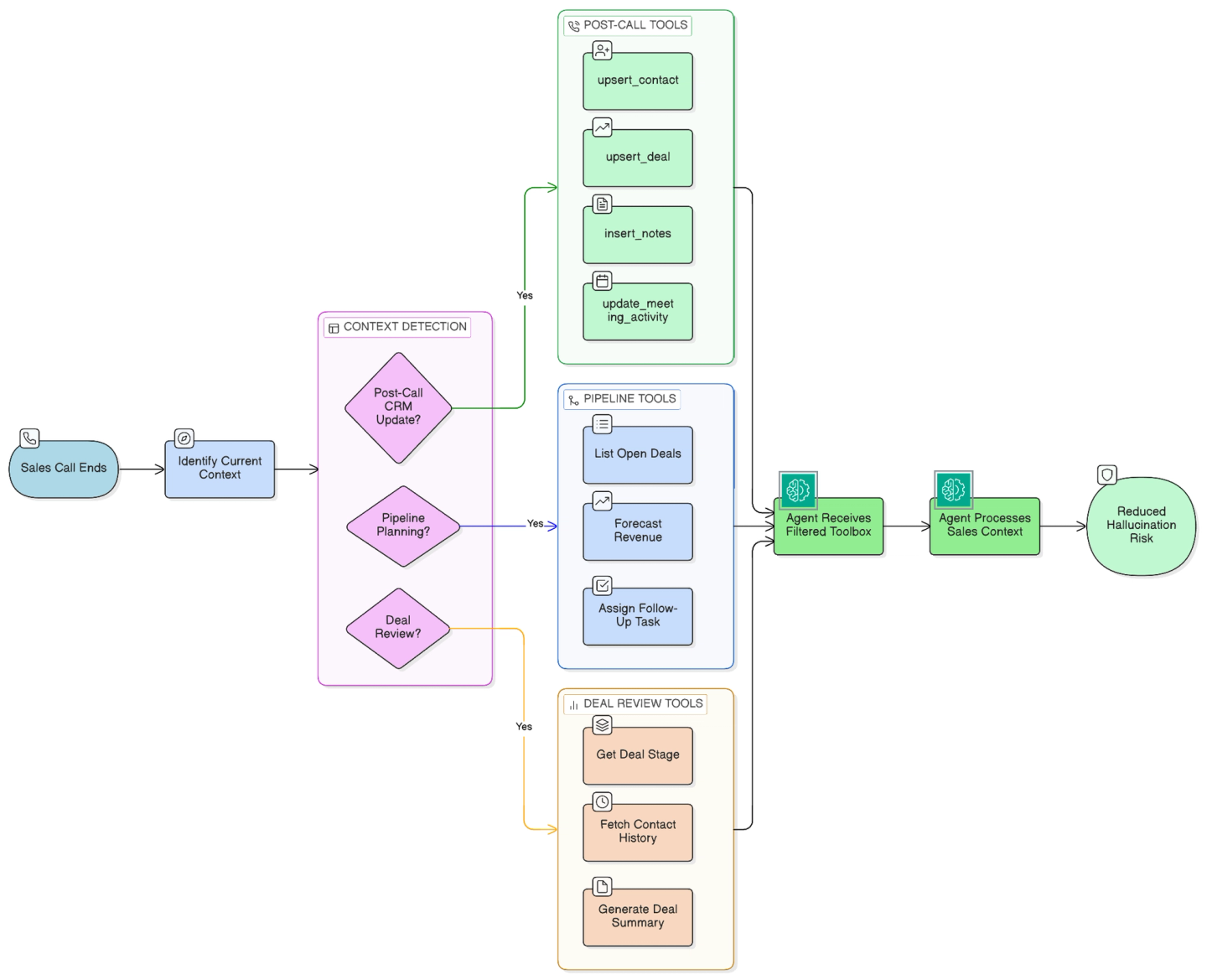
By narrowing the toolbox to the current domain, you eliminate the risk that the agent will accidentally trigger an unrelated high-stakes action.
Step 7: Set up observability for tool calls
Tool-level observability should be separate from LLM evaluations because deterministic vs. non-deterministic executions require different metrics.
Monitor key metrics such as:
- Tool selection rate
- Success vs. failure rate per tool
- Error type distribution
- Retry rate
- Latency per tool
It’s important that you can break these down by user, integration, and external API. This lets you spot patterns across different use cases and APIs, making it easier to determine whether the issue is specific to a single account or affects the entire integration.
Tip: If you’re using an integration platform, plug into OpenTelemetry or your platform’s native logging.
How Nango helps build reliable agent tool calls
Nango is a developer-first platform that helps engineers implement reliable tool calls with external APIs for AI agents.
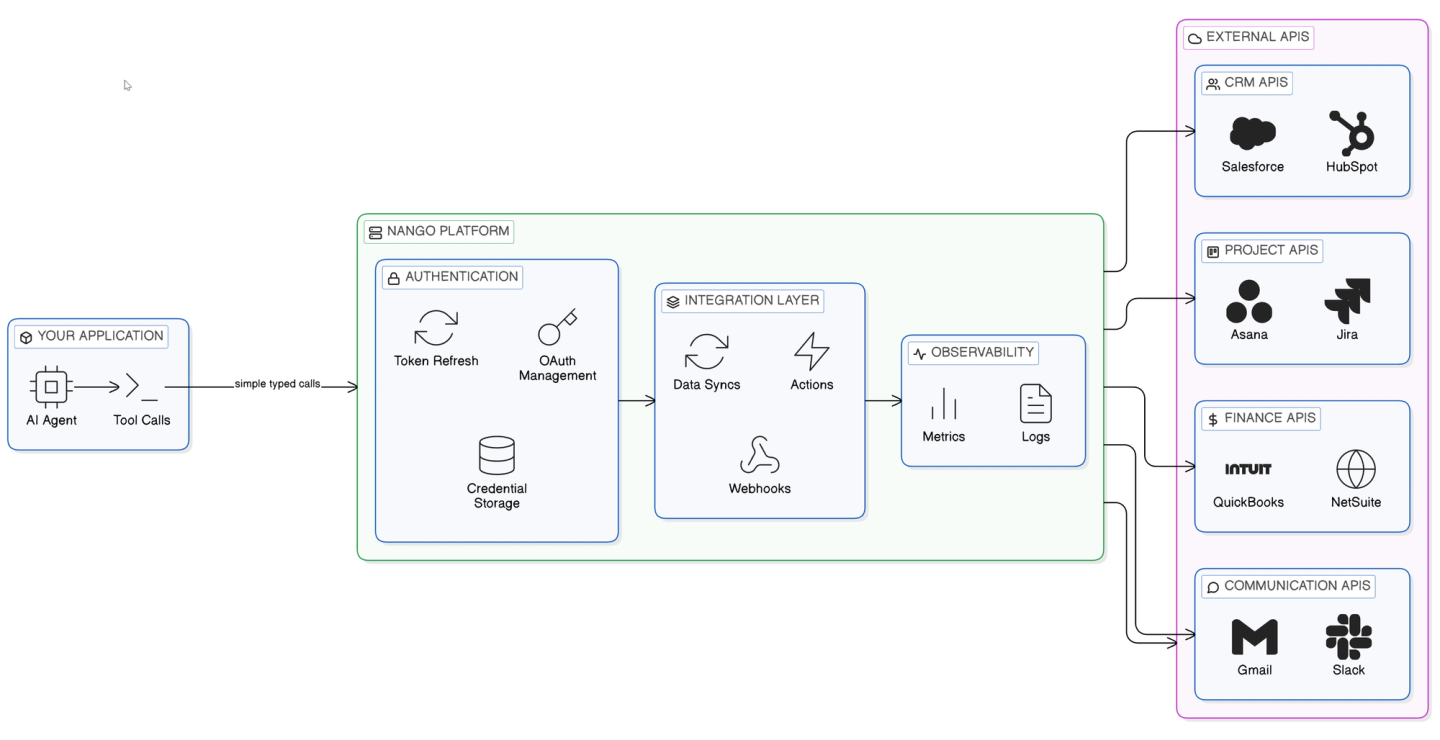
Nango can provide:
- Custom tool calls: Nobody writes code by hand anymore. Nango lets you build custom tool calls for your AI agent using your favorite coding agent (Gemini, Claude Code, Cursor, or OpenAI). Tool calls are functions your coding agent writes, and Nango executes on its platform.
Input prompt (Example):
I want to build a Nango action that will get available
contact fields from Salesforce
Integration ID: Salesforce
Connection ID: my-salesforce-connection
Inputs: channel_id
Outputs: id, name, is_private
API Reference: https://developer.salesforce.com/resources_sobject_describe.htm
Output (Simplified):
export default createAction({
    description: `Fetches available contact fields from Salesforce`,
    input: z.void(),
    output: MyObject,
    exec: async (nango) => {
        const response = await nango.get({
          endpoint: '/services/data/v51.0/sobjects/Contact/describe'
      });
        return {
            fields: mapFields(response.data)
        };
    },
});
Nango ensures security and scalability for your tool calls and automatically scales compute resources as needed.
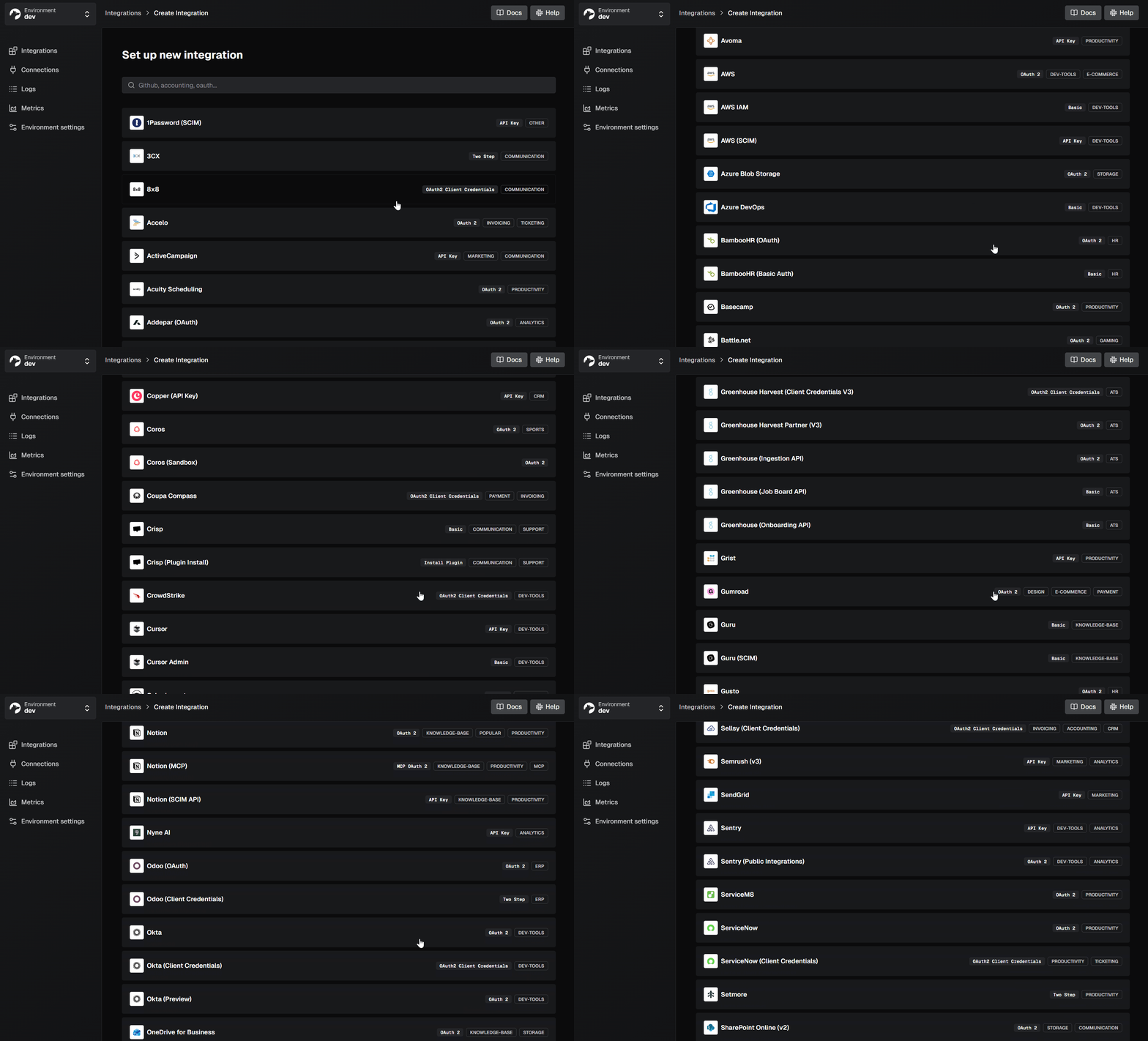
- API authentication at scale: Nango manages OAuth flows, token refresh, and credential storage for 1,000+ APIs out of the box.
- Data syncs: Nango can sync external API data into your database on a schedule or in real time. This is helpful for RAG and can remove a major source of latency when dealing with larger amounts of data.
export default createSync({
  exec: async (nango) => {
    // Sync execution polling logic
  }
});- Webhook handling: Reliable agents often need to react to external events. Nango can handle webhooks from external APIs and trigger Actions or Data syncs.
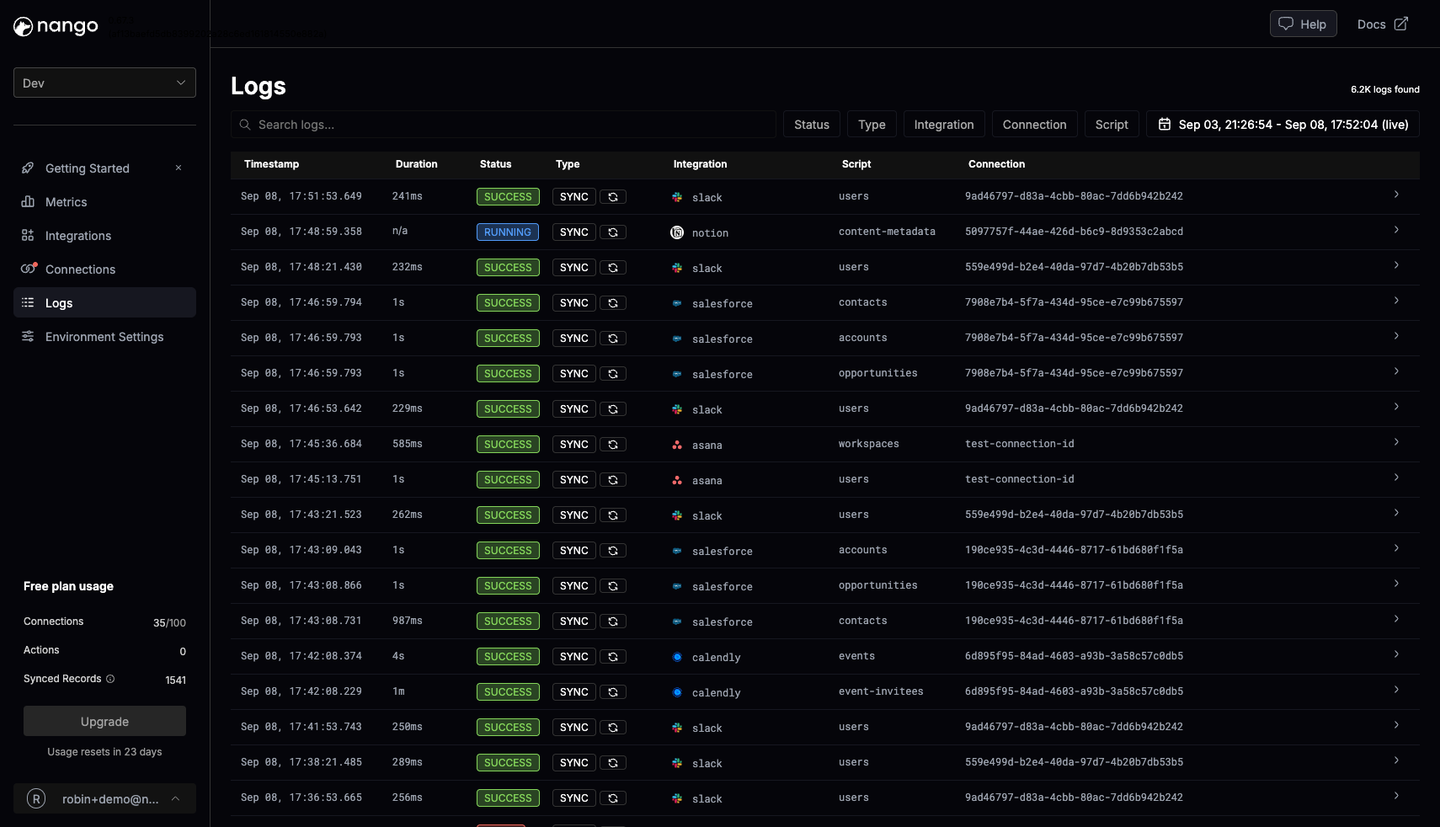
- Observability: Nango provides per-integration request logs, error rates, and latency, supporting OpenTelemetry export.
Conclusion
Reliability in API integrations requires deliberate design decisions. Shift deterministic logic into your code layer to allow the LLM to focus strictly on reasoning and natural language understanding. Utilize coding agents to rapidly build and iterate on these structured schemas. Leverage purpose-built integration infrastructure to handle authentication and observability so your engineering team can focus on core product value.
Related reading:

