Overview
To authenticate with Atlassian using service account API tokens, you will need:
- Cloud ID - Your Atlassian site Cloud ID.
- Service Account Email - The email address of your Atlassian service account.
- API Token - Your Atlassian service account API token.
This guide will walk you through finding your Cloud ID and creating an API token for your service account.
Prerequisites:
- You must have an Atlassian account with admin access
- You must have created a service account
Instructions:
Step 1: Finding your Cloud ID
- Navigate to admin.atlassian.com.
- If you’re a member of more than one organization, select your Organization.
- Select Apps > Sites from the main navigation.
- Select the appropriate site as listed.
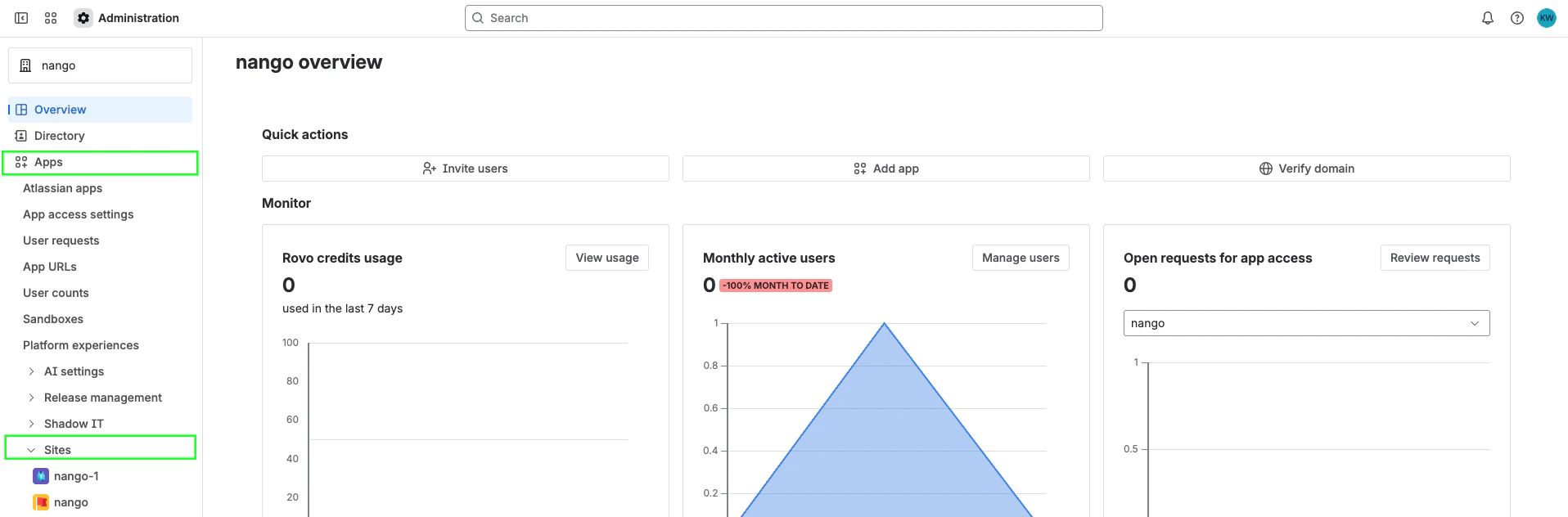
- The Cloud ID is listed after
/s/ in your address bar. For example, if your URL is https://admin.atlassian.com/s/1a11d016-8984-4c3e-b9ab-142dd06acb1b/access-requests, your Cloud ID is 1a11d016-8984-4c3e-b9ab-142dd06acb1b.
Step 2: Finding your Service Account Email
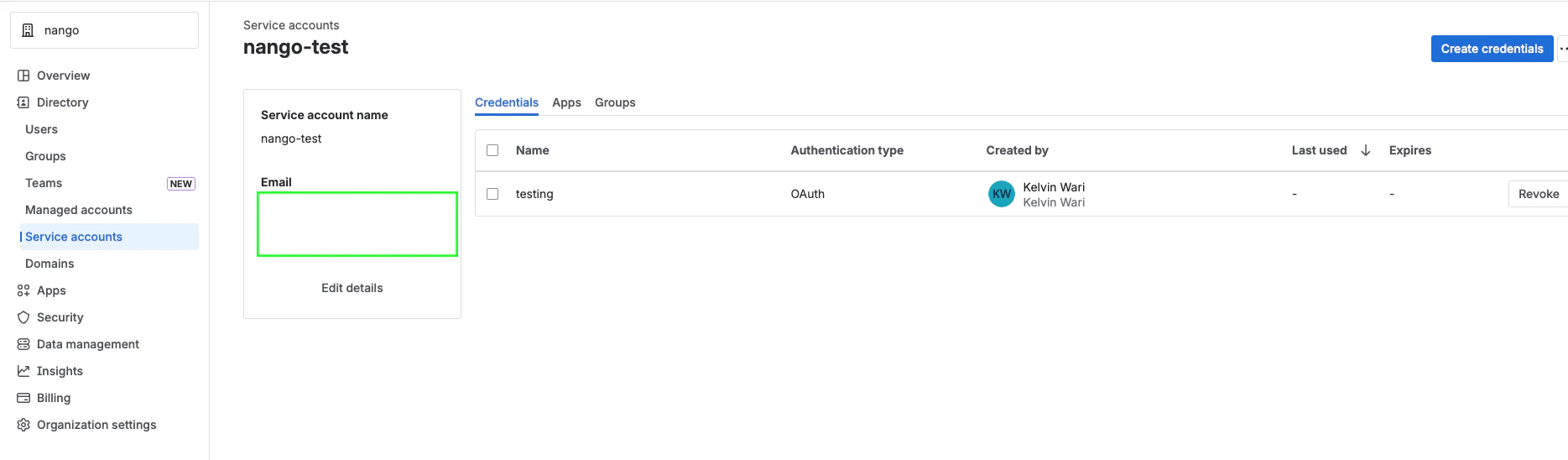
- Select Directory > Service accounts.
- Select the service account you want to use.
- The service account email will be displayed in the service account details. It typically follows the format
bot@serviceaccount.atlassian.com or similar.
Step 3: Creating an API Token
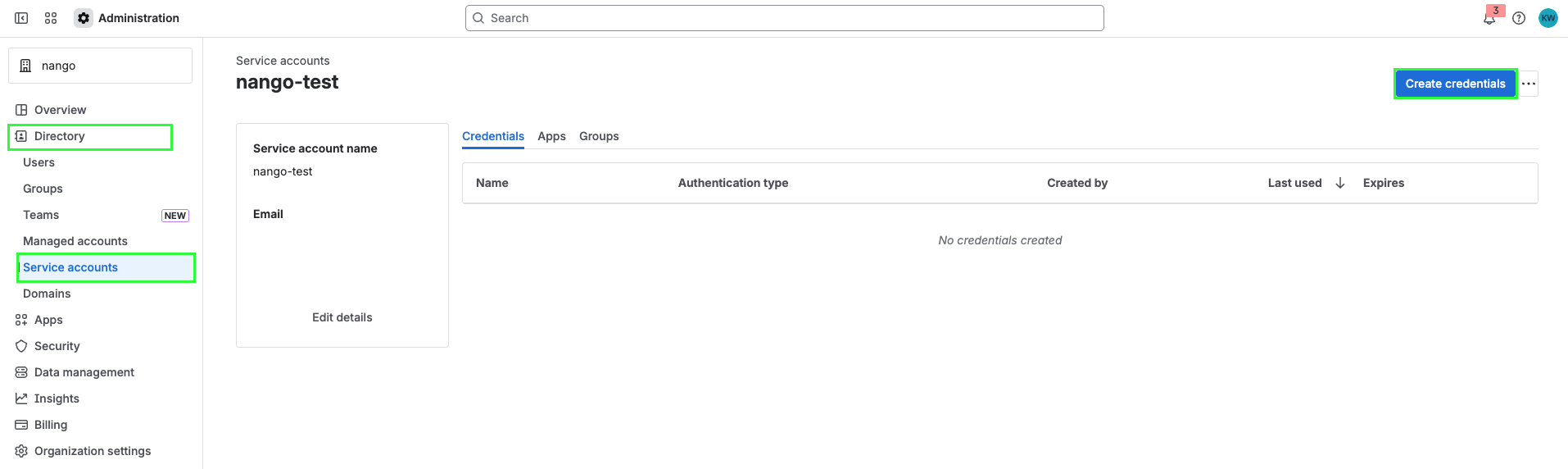
- Select Directory > Service accounts.
- Select the service account you want to create a token for.
- Select Create credentials.
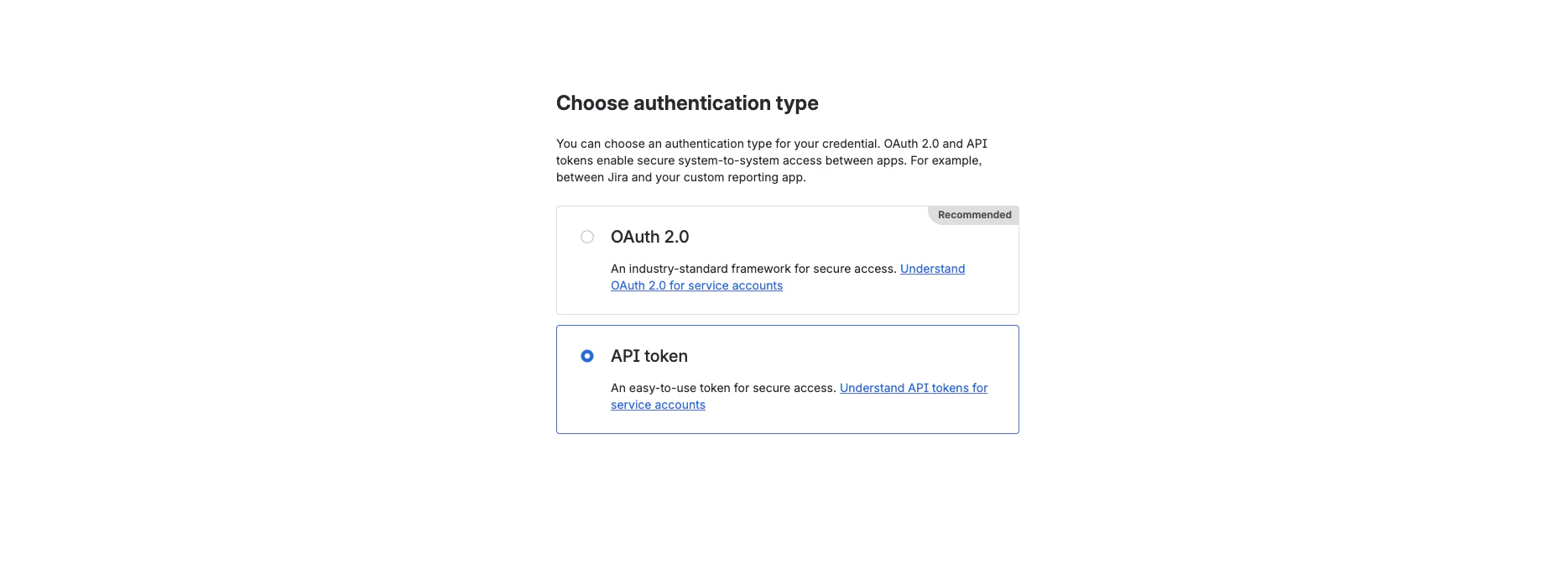
- Select API token, then select Next.
- Give your API token a name that describes what it does. Select an expiration date for the API token (token expiration can be between 1 and 365 days). Select Next.
- Select scopes to determine what the API token can do in Jira or Confluence. Select Next.
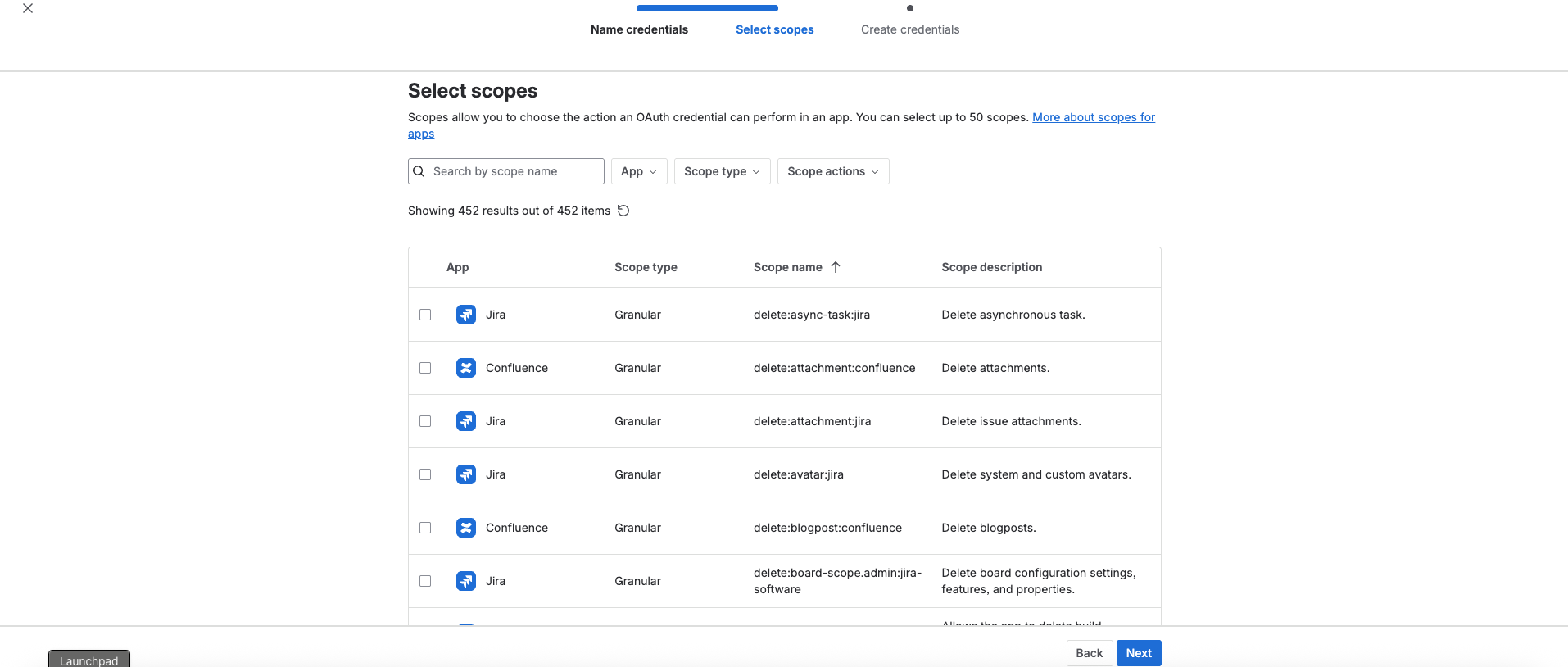
- Review your API token, then select Create.

- Select Copy to clipboard, and save it somewhere safe.
Store your API token securely. You can’t recover the API token after completing this step.
Step 4: Enter credentials in the Connect UI
Once you have your Cloud ID, Service Account Email, and API Token:
- Open the form where you need to authenticate with Atlassian Service Account (API Token).
- Enter your Cloud ID, Service Account Email, and API Token in their respective fields.
- Submit the form, and you should be successfully authenticated.
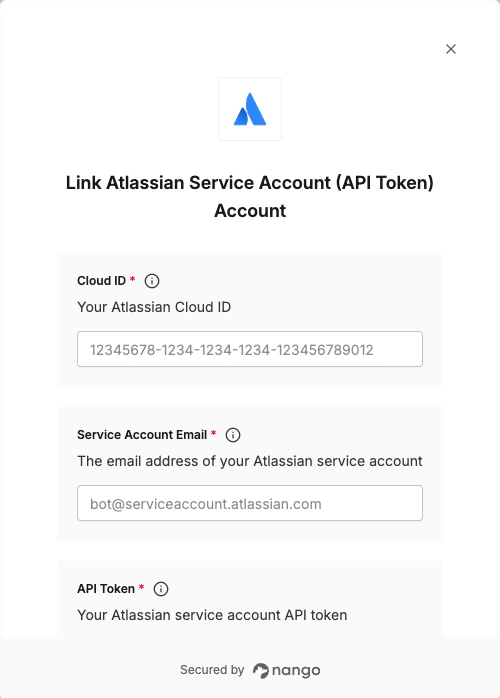 You are now connected to Atlassian using service account API tokens.
