Overview
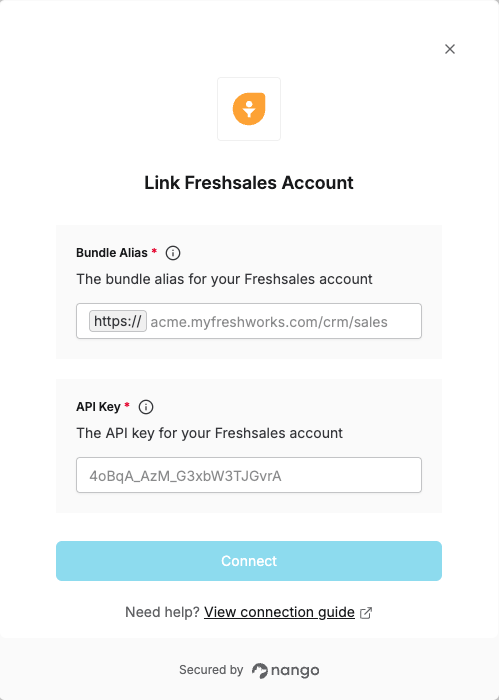
To authenticate with Freshsales, you will need:- Bundle Alias - The domain for your Freshsales account (e.g.,
acme.myfreshworks.com) - API Key - Your Freshsales API key for authentication.
Prerequisites:
- You must have a Freshsales account
Instructions:
Step 1: Finding your Freshsales API Key
- Sign in to your Freshsales account.
- Click your profile icon in the top-right corner and select Personal Settings.
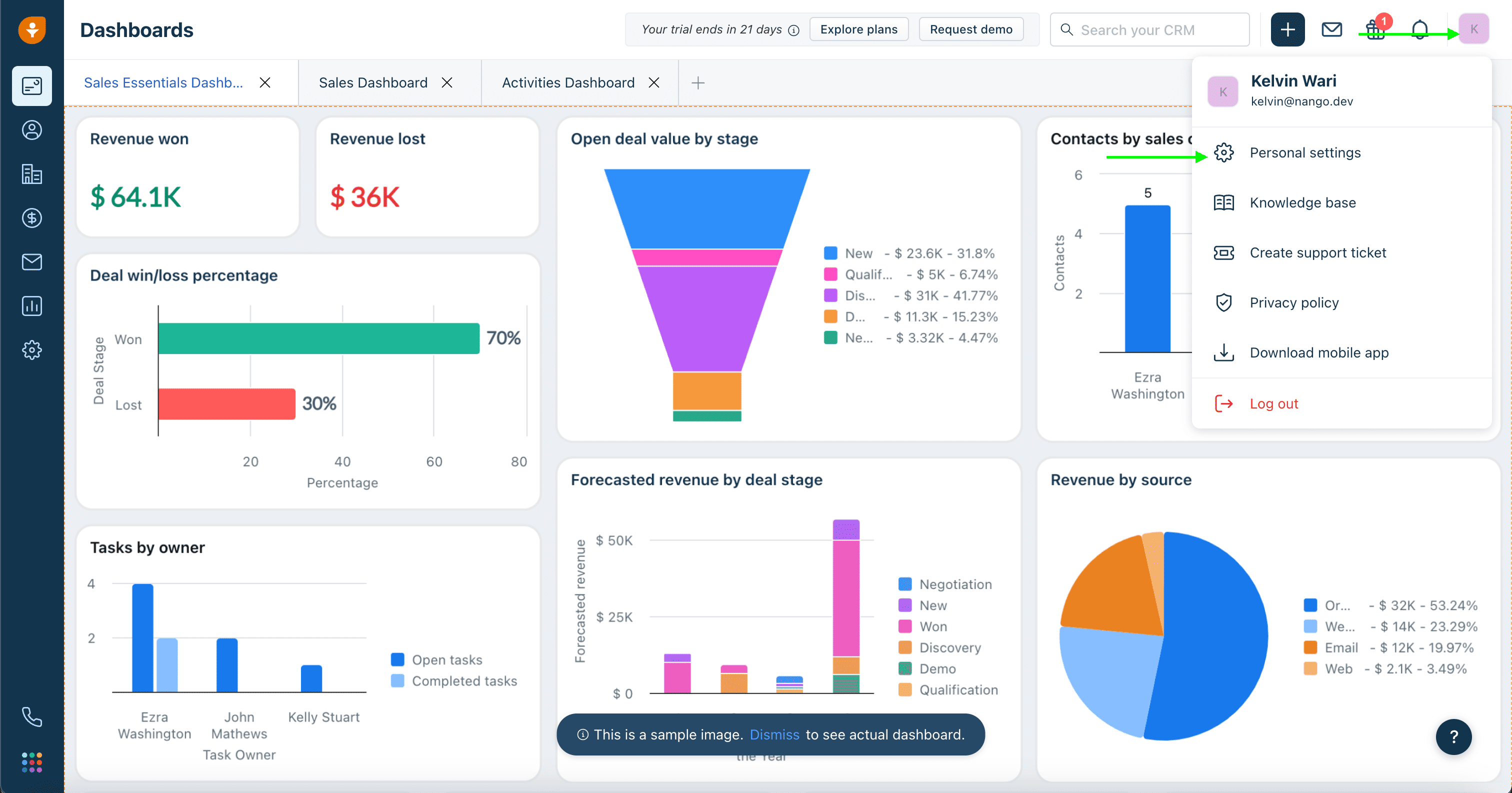
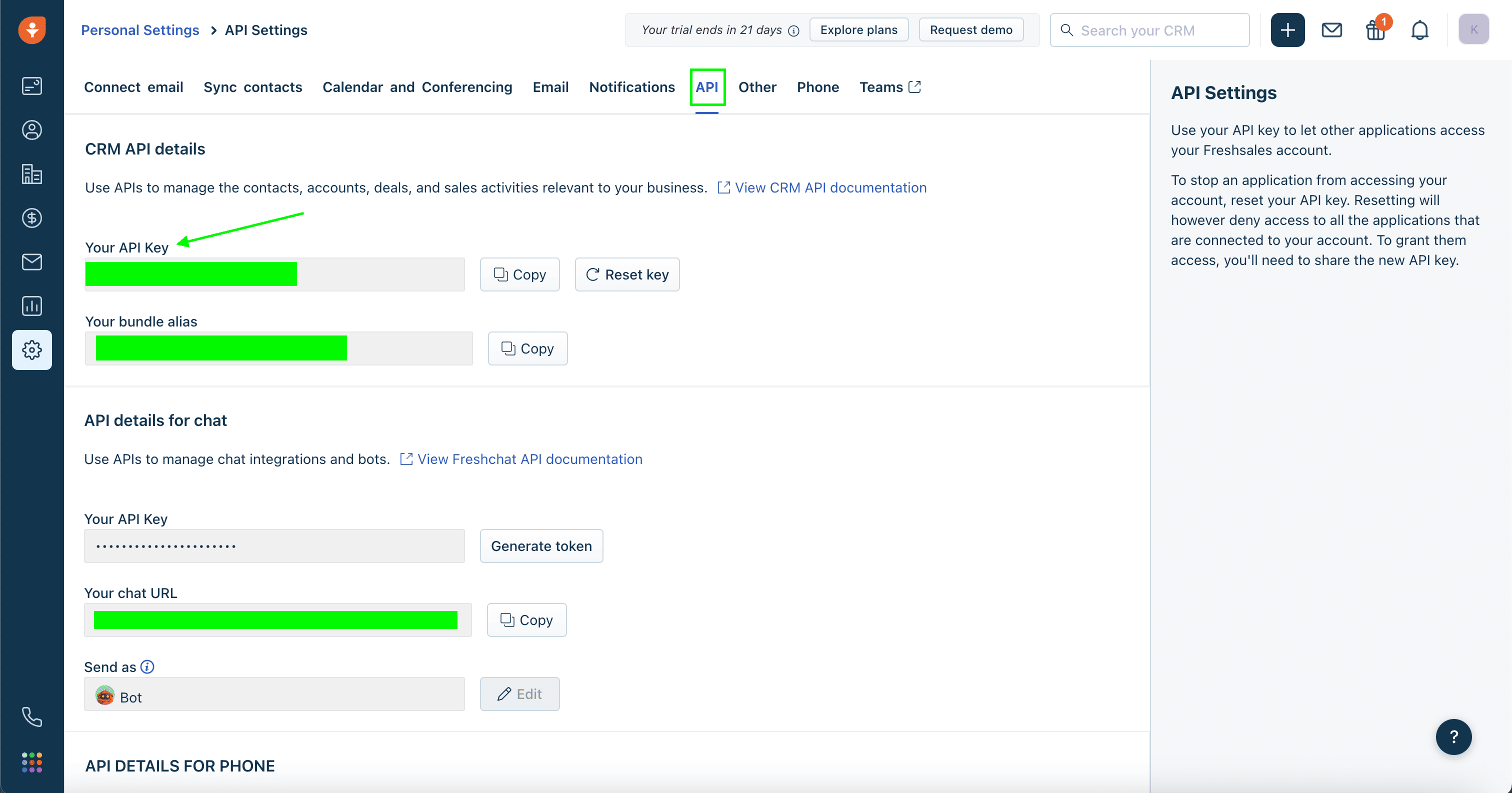
- Click on the API tab. Your API Key will be displayed in the Your API Key field in the CRM API details section.
Step 2: Finding your Bundle Alias
- In the same API tab where you found your API Key, scroll down below the Your API Key field.
- Your Bundle Alias will be displayed in the Bundle Alias field (e.g.,
acme-34234423.myfreshworks.com/crm/sales).
Step 3: Enter credentials in the Connect UI
Once you have your Bundle Alias and API Key:- Open the form where you need to authenticate with Freshsales.
- Enter your Bundle Alias and API Key in their respective fields.
- Submit the form, and you should be successfully authenticated.