Overview
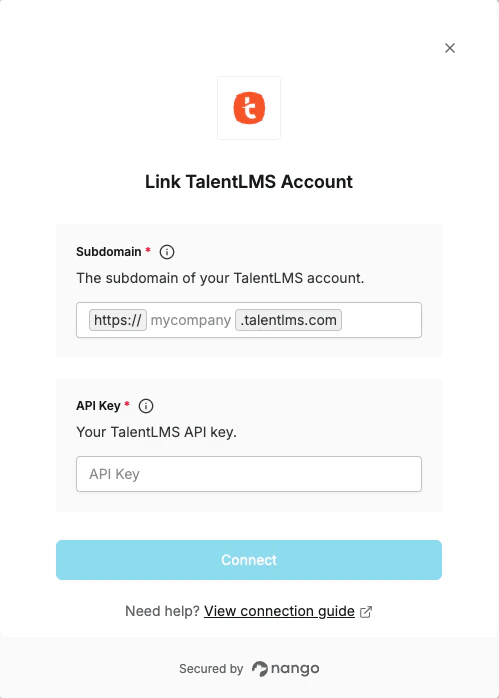
To connect with TalentLMS, you need:- Subdomain – The subdomain of your TalentLMS portal.
- API Key – Your TalentLMS API key from Account & Settings.
Prerequisites
- You must have a TalentLMS account on a paid plan. API access is not available on the Free plan or during a Free trial.
- You must be an Administrator.
Instructions
Step 1: Finding your Subdomain
Your subdomain is the part of your TalentLMS portal URL before.talentlms.com. For example, if your portal is at https://acme.talentlms.com, your subdomain is acme.
You can find it in the browser address bar when logged in to your TalentLMS account.
Step 2: Finding your API Key
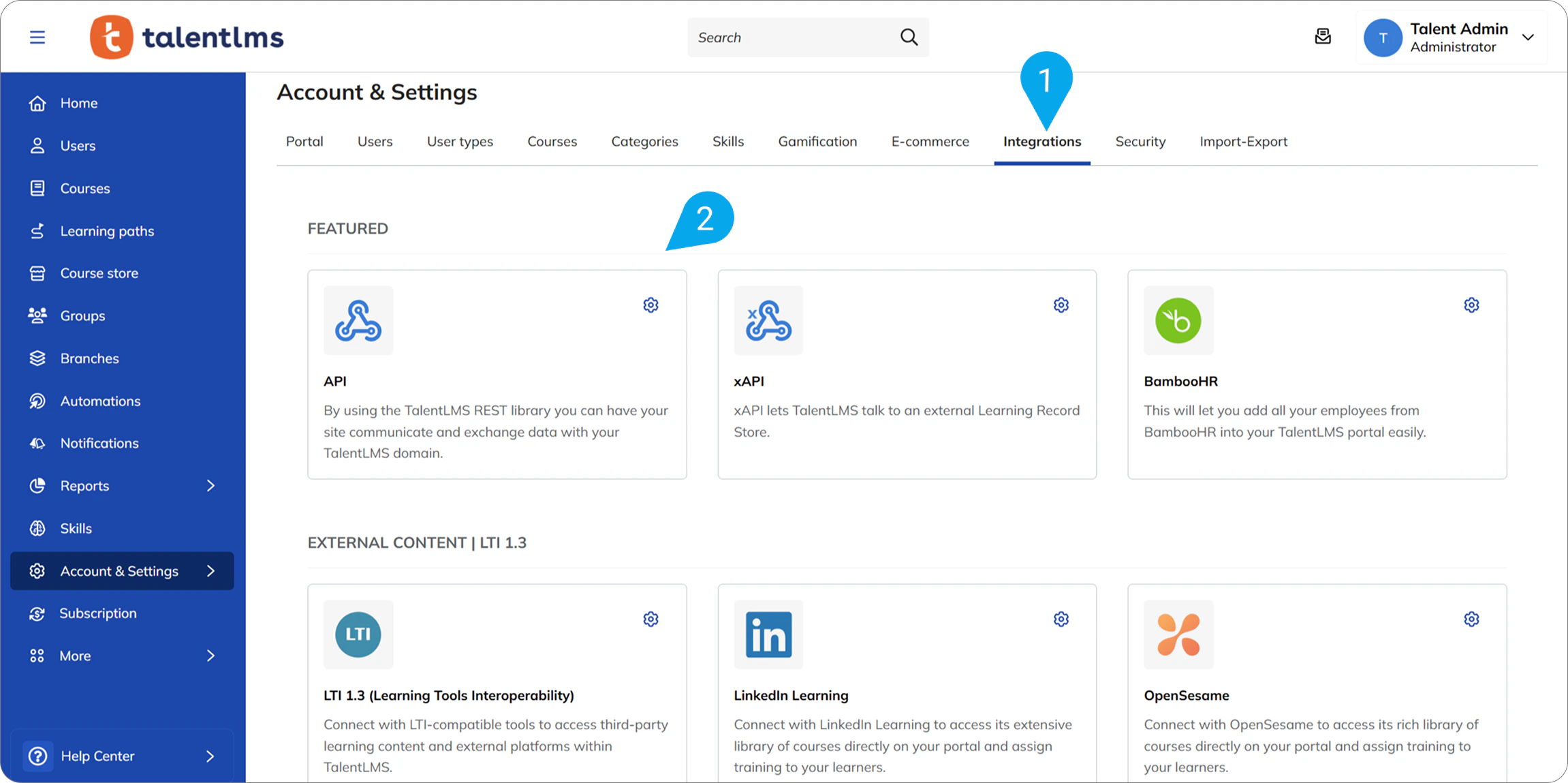
- Log in to your TalentLMS account as an Administrator.
- Go to Account & Settings.
- Select the Integrations tab.
- Click on the API tile.
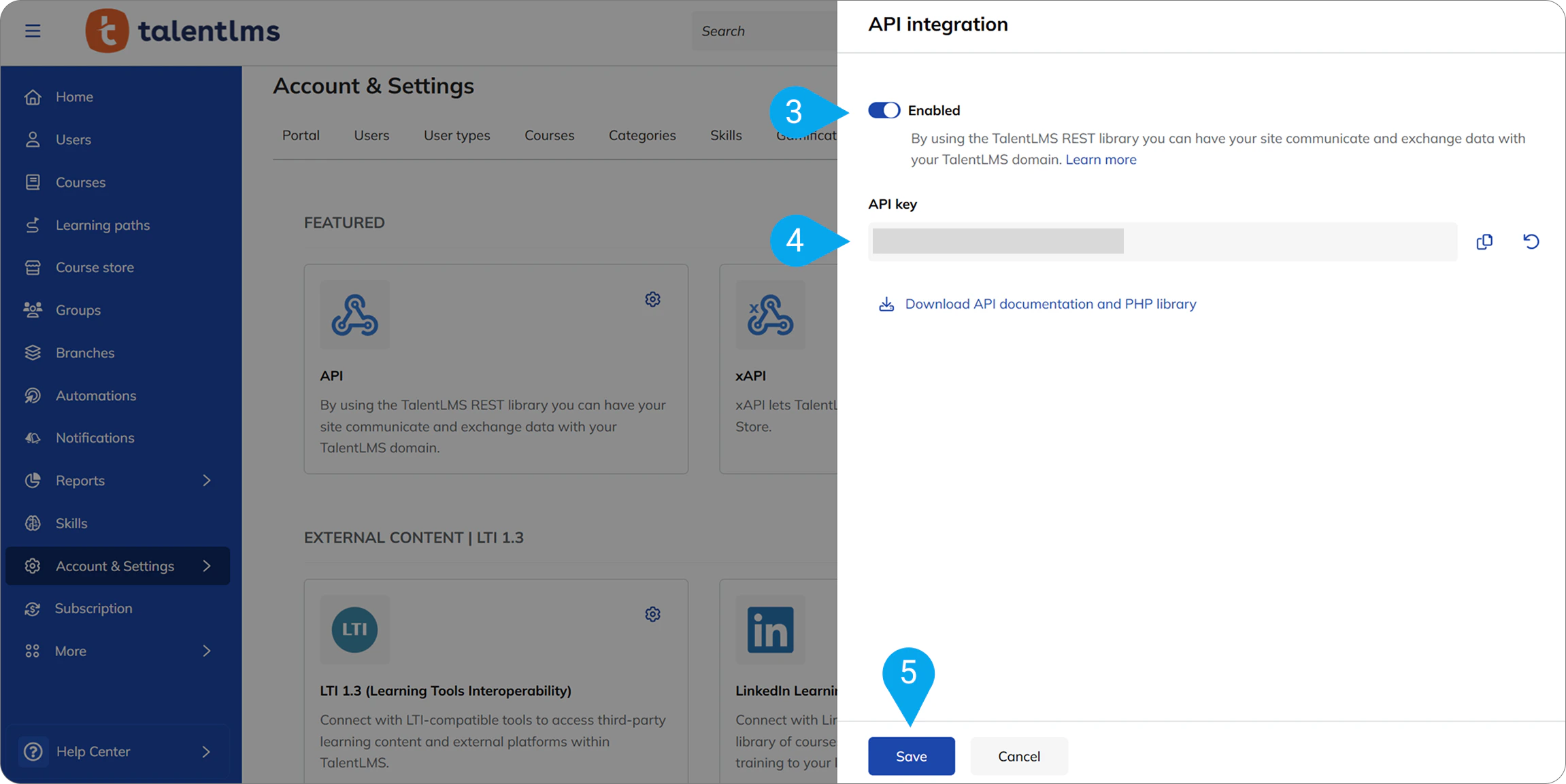
- Enable the API if it is not already enabled.
- Copy your API Key.
Step 3: Enter credentials in Nango
- Open the form where you need to authenticate with TalentLMS.
- Enter your Subdomain and API Key in their respective fields.
- Submit the form to connect your TalentLMS account.