
At Nango, we’ve built and maintained API integration support for 1,000+ providers across CRM, HR, ERP, accounting, and dozens of other categories. So naturally, we’ve had to deal with providers that had no clean API sandbox or developer account.
This article is a condensed version of our learnings and insights across all those API integrations for developers who need to ship an integration but can’t get test credentials from the provider.
Two categories of API access
Before picking a strategy, understand what kind of API you’re working with. Most fall into one of two categories.
- Developer-friendly APIs provide a free API sandbox or developer account. You sign up, get credentials, and start making API calls within minutes. Salesforce, HubSpot, and Stripe are good examples. These APIs want third-party integrations and make onboarding easy.
- Enterprise-gated APIs restrict access to paying customers and certified partners. Workday, SAP SuccessFactors, ADP, and UKG fall into this category. These platforms serve large organizations and tightly control their ecosystems. Getting API access as a third-party developer requires either a partnership agreement, a customer who can provision sandbox access for you, or a consultant who already has an account.
The strategy you choose depends entirely on which category you’re in.
Strategy 1: Get a free developer account
Many popular platforms offer free accounts with enough functionality to build and test a complete integration. If you’re building API integrations with any of these platforms, start here. Create the developer account, configure OAuth, and build your integration against real API responses.
Popular Examples:
Salesforce provides a free Developer Edition org. It includes the full Salesforce API surface with 200MB of data storage. You can create custom objects, configure OAuth apps, and test against real API endpoints. For teams building CRM API integrations, this is the standard starting point. Nango has a dedicated Salesforce OAuth app setup guide that walks through the full configuration.
Note from our team: Salesforce registration detail emails sometimes don’t arrive after signup. If the email still doesn’t come through, wait a few hours and try registering again.
HubSpot offers developer test accounts with access to a 90-day trial of enterprise features. You can create up to 10 test accounts per developer account. Test accounts renew automatically if you make at least one API call within the 90-day window. See Nango’s HubSpot integration docs for auth setup.
Note from our team: HubSpot test accounts expire silently after 90 days of inactivity, and there’s no warning email. We set a recurring calendar reminder for day 80 on every test account. Also, marketing emails can only be sent to users explicitly added to the dev account, and data cannot sync between test and production accounts.
Sage provides a free developer account for their Network API, and Sage Accounting offers a developer account upgrade with 12 months of free access for integration testing.
NetSuite offers a Developer Account with access to SuiteScript and SuiteTalk APIs, and a Development Sandbox designed for third-party developers. However, getting approved for NetSuite developer access may be difficult.
Strategy 2: Negotiate with the provider directly
If there’s no public developer program, it’s still worth reaching out to the provider before looking for workarounds.
- Contact their sales or developer support team. Explain that you’re building an integration that will bring more users and usage to their platform. Many providers are receptive to this, especially if you can describe a concrete use case.
- Ask for a partner or developer account. Some companies have hidden tiers for developers that they only provision manually upon request. These don’t show up on their marketing pages, but exist for exactly this kind of situation.
- Ask for a time-limited API key. Providers may be willing to give you a 7 or 14-day key to prove out a proof of concept, even if they don’t offer a permanent sandbox.
- Ask a sales rep for trial access. If you’re evaluating the product, sales reps can sometimes provision a test account as part of a trial. It’s usually time-limited and one-off, but it can get you unblocked in a pinch.
This takes a few emails and some patience, but it’s a surprisingly effective strategy for APIs that seem completely locked down.
Strategy 3: Find a partner or consultant
If Strategy 2 doesn’t work, the next approach is to find someone who already has access: an implementation partner, systems integrator, or freelancer who specializes in the tool (think Upwork).
This works particularly well for large enterprise platforms with big partner ecosystems.
For example, Workday only provisions API sandbox access to paying customers on certain plans. If you’re building a Workday API integration as a third-party developer, your best path is through a certified Workday consultant or implementation partner who can provide temporary access to a sandbox tenant. Workday’s partner ecosystem is large, and many consultants are willing to help software vendors test integrations.
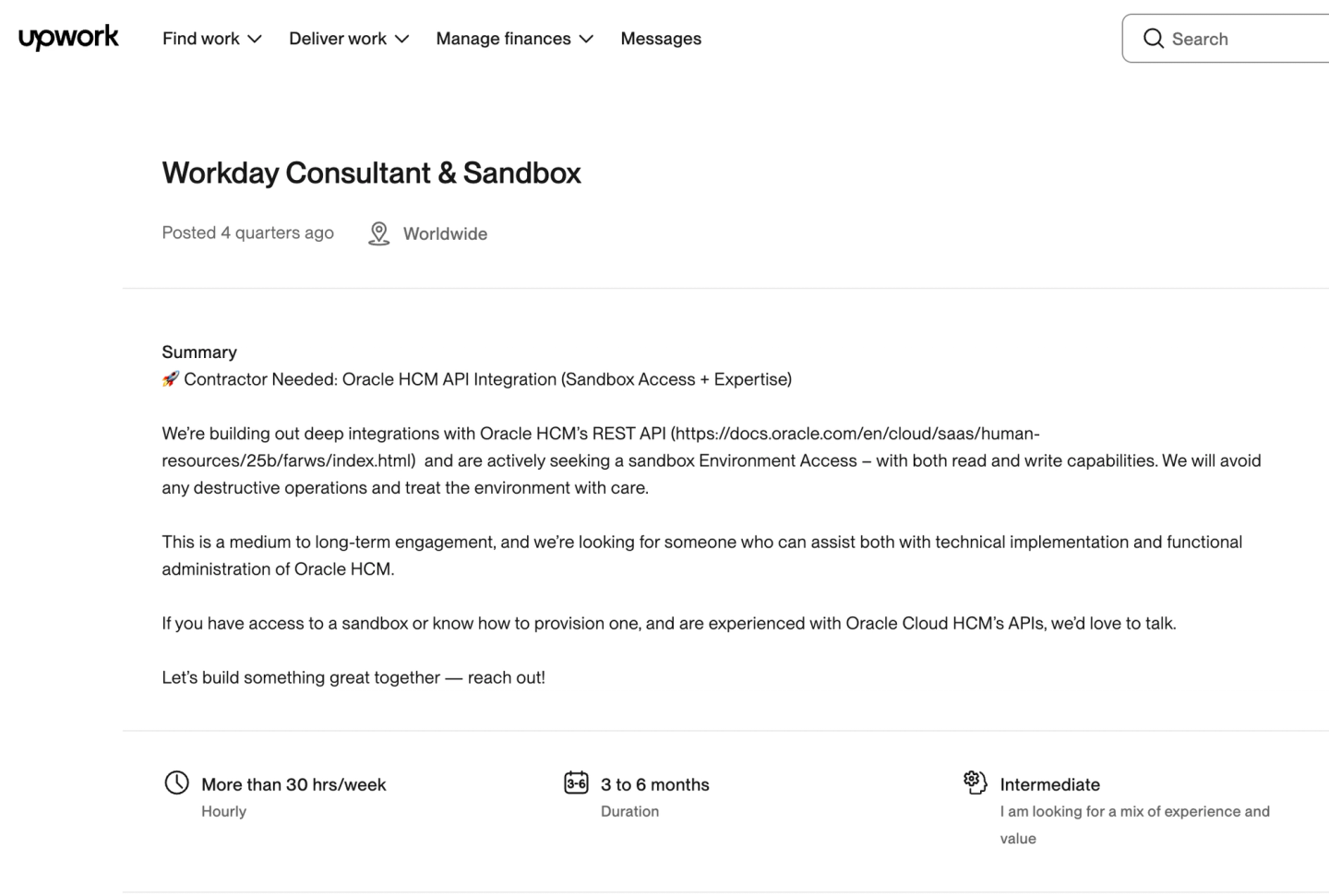
We had success finding a Workday consultant with sandbox access through a post like this on Upwork:
A word of caution: Sandbox access obtained through freelancers may not always comply with the provider’s terms of service. Verify the arrangement is legitimate before relying on it for production integration work.
SAP SuccessFactors requires you to be a certified SAP partner to request a demo instance. If you’re not a partner, working with a consultant who has PartnersEdge access is the practical alternative. SAP’s API Business Hub does provide API documentation and some testing capabilities, but full sandbox access requires certification.
ADP provides sandbox access through their Marketplace Partner Portal. Registering as a marketplace partner gives you access to the Partner Self Service Portal where you can request test instances and get API credentials.
What we’ve learned: ADP requires a mutual SSL certificate for all API calls, including in the sandbox. The Organization Name and Common Name in your certificate signing request (CSR) must match exactly what’s on file, or the connection fails with no useful error message. If you’re unsure of the values, confirm with your ADP representative before generating the CSR.
UKG requires an offline registration process with their Identity team. You need to create a support case to request a Client ID and Client Secret. For development, UKG recommends using Postman to test their APIs, and they provide sandbox tenants. A partner or existing customer can speed up this process significantly.
Oracle provides partner sandbox access through their Partner Developer Portal. Partners can obtain OAuth credentials and gateway URLs from the Environments page. If you’re not already in Oracle’s partner program, a consultant with existing access is the fastest route.
The consultant approach has a practical advantage beyond just getting credentials: these people know the API’s quirks. A Workday consultant can tell you which API versions are stable, which endpoints have undocumented rate limits, and which authentication flows actually work in production. That knowledge can save weeks of debugging.
Strategy 4: Build from documentation
When you can’t get any form of sandbox access, you can still make meaningful progress by building from documentation alone.
This means:
- Reading the API reference cover to cover for the endpoints you need
- Understanding the authentication model (OAuth 2.0, API keys, certificates, custom flows)
- Mapping out the data model for the objects you plan to sync or manipulate
- Identifying pagination patterns, rate limits, and error response formats
- Checking if the provider publishes an OpenAPI (Swagger) specification. If they do, you can point an AI coding agent (Claude Code, Cursor, Codex) at the spec to generate integration code directly, or import it into Postman or Insomnia to generate request templates with the correct parameters, headers, and body schemas already filled in.
The output is integration code that is structurally correct but untested against a live API.
Use API mocking to validate your implementation
Tools like WireMock, MockServer, and Mockoon let you create mock API endpoints that return realistic responses based on the API documentation. This gives you a way to:
- Test your authentication flow logic
- Validate pagination handling
- Exercise error handling paths
- Verify data transformation and mapping code
Tip: Don’t just mock200 OKsuccess responses. Create mock endpoints that return400 Bad Request,401 Unauthorized,429 Too Many Requests, and500 Internal Server Errorto verify your integration handles failures gracefully. This is especially important when you can’t test against a real API, because the first real errors you encounter will be in production.
Mock-based API integration testing is not a replacement for testing against a real API. Response formats, error codes, and edge cases in documentation rarely capture every real-world scenario. But it lets you ship code that is close to correct, rather than writing blind.
Let AI coding agents accelerate the build (Recommended)
We recently built 200+ API integrations using AI Agents. AI coding agents like Claude Code, Cursor, and Codex are particularly effective when building from documentation. They can read API docs, generate integration scaffolding, and build data transformation logic based on documented schemas. Since you’re working from documentation rather than live API responses, the AI’s ability to parse and understand API specs becomes especially valuable.
If you’re using an integration platform like Nango, AI agents can generate complete integration functions (syncs, actions, and webhook handlers). Your coding agent will be able to generate tests, run and validate Actions, tool-calls, and syncs against real accounts.
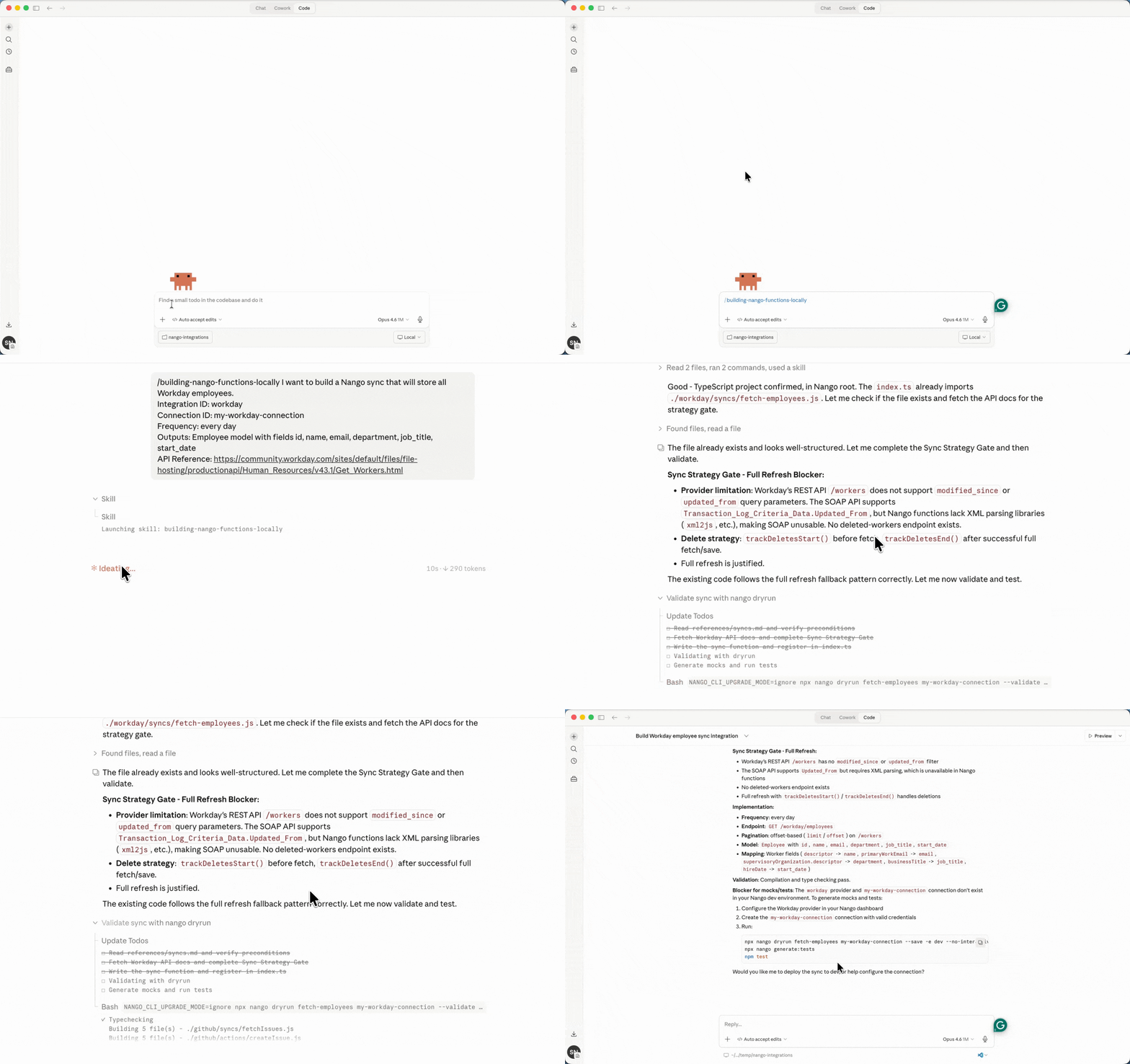
For example, here’s a prompt you could give to Claude/Codex/Cursor using Nango AI integration builder Skill to generate a data sync flow for Workday employees, even without sandbox access:
I want to build a Nango sync that will store all Workday employees.
Integration ID: workday
Connection ID: my-workday-connection
Frequency: every day
Outputs: Employee model with fields id, name, email, department, job_title, start_date
API Reference: https://community.workday.com/sites/default/files/file-hosting/productionapi/Human_Resources/v43.1/Get_Workers.html
The agent generates the function code, creates test files, and validates via nango dryrun once you have a live connection.
Strategy 5: Ship as beta and test with your first customer
Whether you built from documentation, used AI coding agents, or validated with mock APIs, at some point you need to test against a real account. Shipping the integration as beta and collaborating with your first customer is often the most practical way to close that gap.
Tip: Start with read-only GET requests first. This lets you verify authentication, rate limits, and data structures without any risk of modifying your customer’s data. Once reads work correctly, move on to write operations.The process:
- Build the integration from documentation using the approaches described above
- Label the integration as beta in your product
- Communicate clearly to the customer: “This is a new integration. We want to make sure it covers what you need and works well with your account.”
- Ask the customer for sandbox or test account access so you can validate before touching production data
- Iterate quickly based on what you discover during testing
Most enterprise customers are willing to provide sandbox access once they see you’ve already built a working implementation. The conversation changes from “Can you give us access so we can explore your API?” to “We’ve built the integration, can you help us test it?” The second is a much easier ask.
What to communicate to your customer
Be direct about what “beta” means:
- The integration covers the core use case but may not handle every edge case
- You need their help validating against real data
- You’ll fix issues quickly as they come up
- The integration will move to general availability once both sides are confident in it
This approach works well because it demonstrates commitment. You’ve invested engineering time before asking for their help, and the customer can see tangible progress rather than a roadmap promise.
Quick reference: test account access by API for popular providers
| API | Access type | How to get started |
|---|---|---|
| Salesforce | Free developer account | developer.salesforce.com/signup |
| HubSpot | Free developer test account | developers.hubspot.com/get-started |
| Sage | Free developer account | developer.sage.com |
| NetSuite | Free developer account (approval required) | Developer account with SuiteTalk API access |
| Workday | Customer or partner only | Engage a certified Workday consultant |
| SAP / SuccessFactors | Certified partner only | Consultant with PartnersEdge access |
| ADP | Marketplace partner | ADP Partner Portal registration |
| UKG | Partner or customer only | Support case for API credentials |
| Oracle | Partner program | Oracle Partner Developer Portal |
How Nango helps you build API integrations
A significant portion of integration work is infrastructure: OAuth flows, token refresh, rate limit handling, pagination, retry logic, and webhook processing. When you don’t have a test account, every piece of untested infrastructure is a risk.
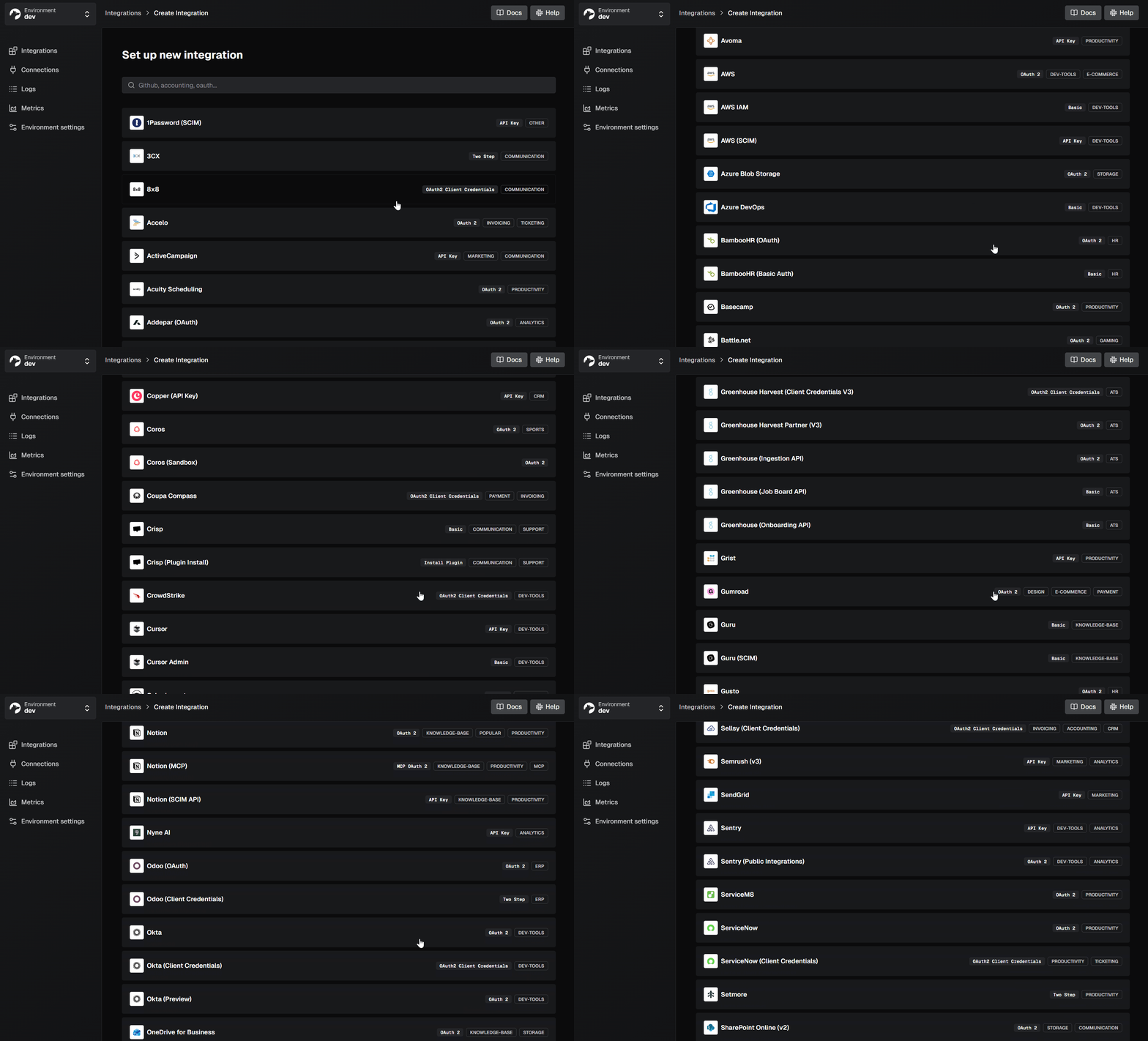
Nango has already built code-first, reusable, and customizable API integrations for most providers that don’t have a straightforward test account process, including Workday, SAP SuccessFactors, ADP, UKG, Oracle, and NetSuite. These are drop-in integration templates you can deploy as-is or customize to fit your use case. This means you don’t have to start from scratch for the hardest APIs.
Nango features enabling quicker API integrations:
- Pre-built auth for 1,000+ APIs. Nango supports OAuth 2.0 (including client credentials and JWT bearer), API keys, basic auth, personal access tokens, and custom provider-specific auth schemes. You don’t need to test token refresh logic against a live API. Nango already handles it for Salesforce, HubSpot, Workday, and hundreds of other providers.
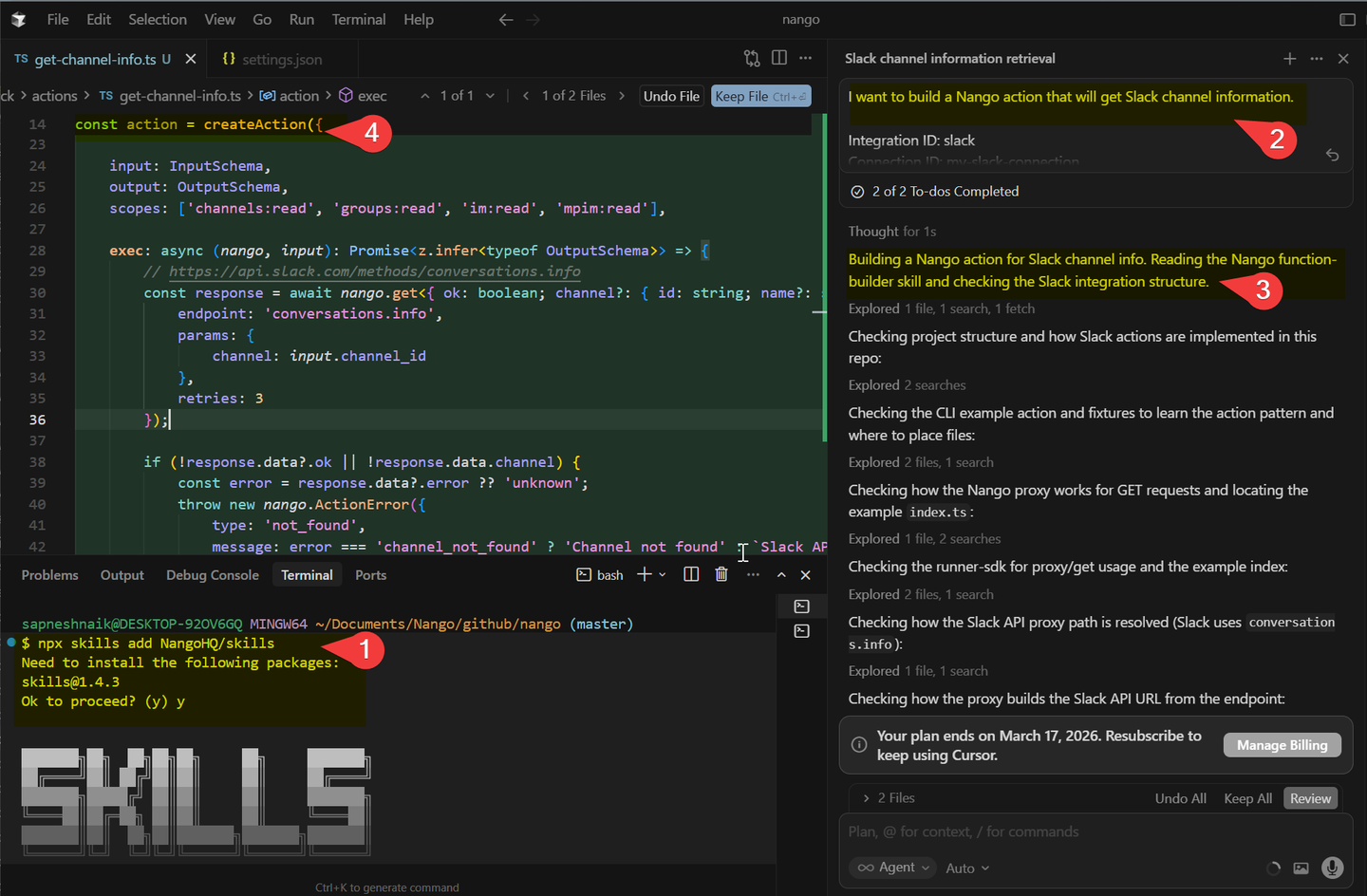
- Use AI coding agents to write integrations logic (Functions, Data syncs). Nango provides built-in skills for AI coding agents like Claude Code and Cursor. Describe what you need, and the agent generates production-ready integration code using Nango’s patterns and existing templates as context.
Example: Using the Nango AI Function Builder skill in Cursor
- You test only your business logic. Your integration code (or the prompt you give to AI Coding agents) focuses on data mapping and API-specific operations. The infrastructure layer (auth, rate limiting, pagination, retries) is already proven across hundreds of production deployments.
- Durable, resumable syncs. Nango syncs support checkpoints so that a failed sync resumes from where it left off rather than restarting from scratch. When you’re testing a new integration with limited access windows, this avoids wasting time reprocessing data you’ve already synced.
Tip: Include in the prompt that you want resumable syncs if you’re using AI Coding Agents (Claude/Cursor) to build them. - Built-in MCP server for AI agent use cases. If you’re building an in-product AI agent, Nango provides a built-in MCP server that exposes your integration functions as tools for the agent. Your AI agent can invoke auth flows, trigger actions, and query synced data through MCP, without managing API credentials or infrastructure directly. See the tool calling overview for the full picture.
- When you do get access, validate fast. Nango’s
dryruncommand lets you test your integration against a real API connection, so you can quickly validate once a customer grants sandbox access.
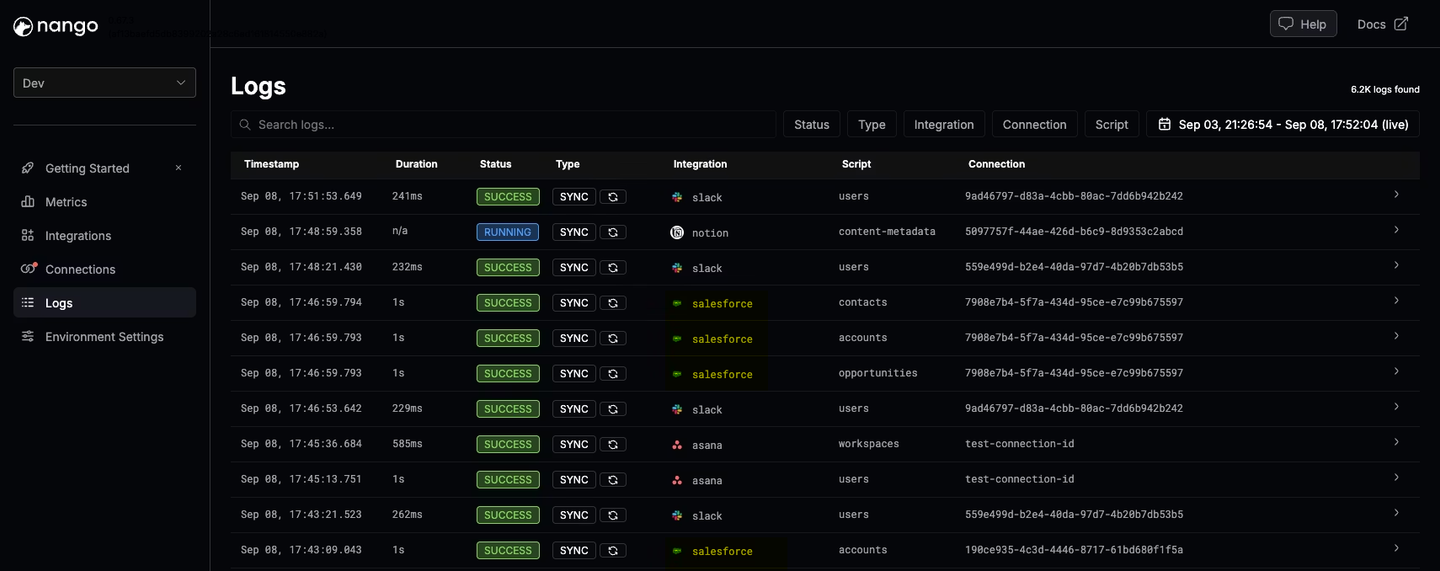
- This is especially valuable for enterprise-gated APIs. If you’re building a Workday integration from documentation, the auth, rate limiting, and pagination are handled by Nango. Your untested surface shrinks to just the data transformation code, which is much easier to get right from docs alone.
Note: We’ve tested that you can do this via Claude/Cursor or any other AI Coding Agents too.
Conclusion
Building API integrations without a test account is a common challenge, but not a dead end.
For developer-friendly APIs, start with their free accounts. For enterprise platforms, negotiate directly with the provider, find a consultant, or engage a partner. When you truly can’t get access, build from documentation with API mocking and AI coding agents, then ship as beta and iterate with your first customer.
A code-first, open-source integration platform like Nango removes most of the infrastructure risk by providing pre-built auth, durable syncs, and reusable integration templates for the providers where sandbox access is hardest to get. That lets you focus on your business logic instead of fighting provider-specific auth quirks and API infrastructure.

