Documentation Index
Fetch the complete documentation index at: https://nango.dev/docs/llms.txt
Use this file to discover all available pages before exploring further.
A Nango connection can store several kinds of information besides credentials. Use the right field depending on what the data does.
| Field | Use it for | Example |
|---|
tags | Attribution, filtering, routing, and webhook reconciliation. | end_user_id, organization_id, workspace_id |
connection_config | Provider-specific information required for the connection to be valid or usable. | subdomain, tenantId, region, API base URL |
metadata | Your own application or function configuration stored on the connection. | field mappings, selected folder IDs, feature flags |
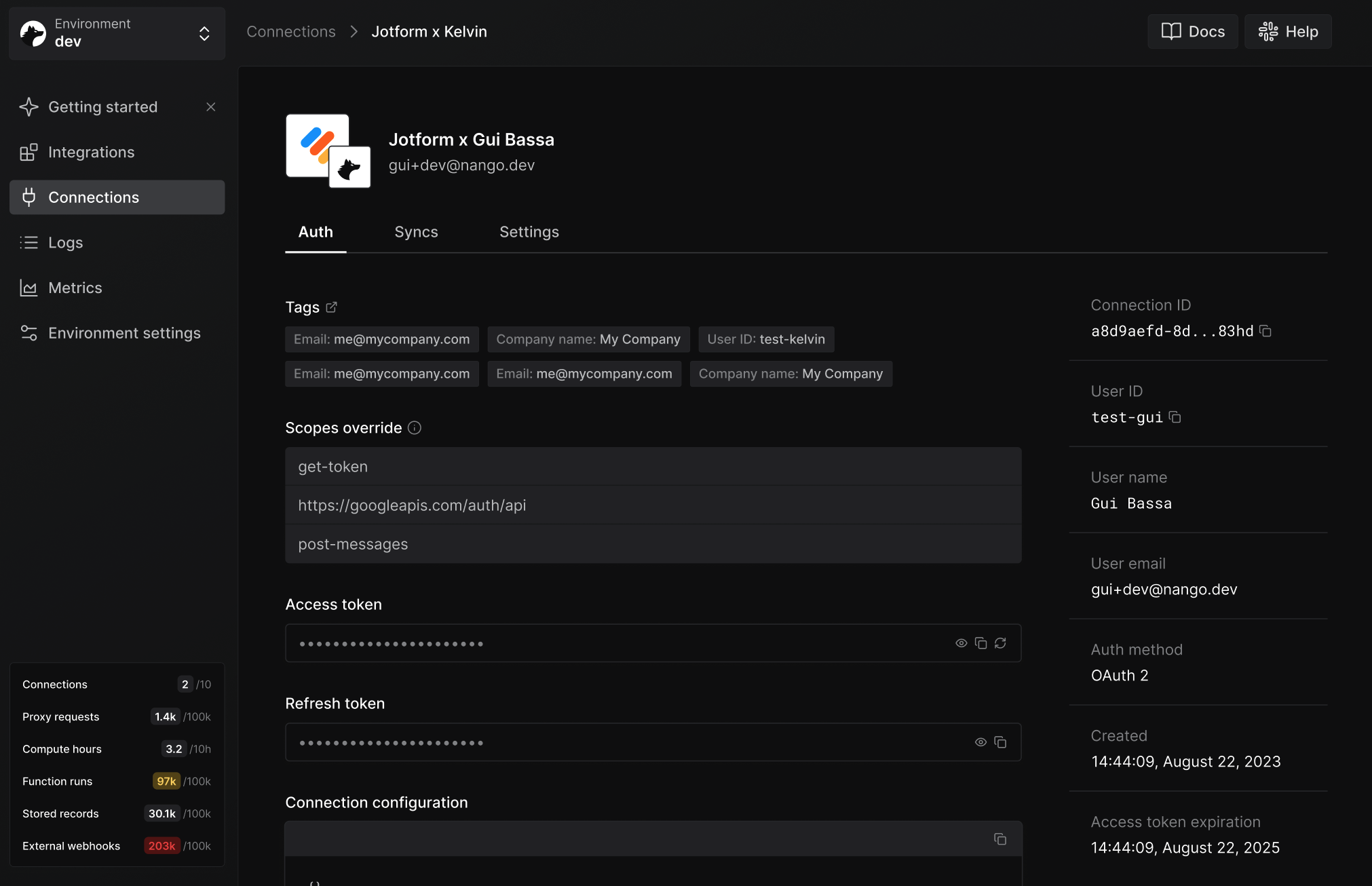
Tags are small key/value strings you attach to a Connect session. Nango copies them to the resulting connection and includes them in auth webhooks.
Their primary purpose is attribution. Nango uses random UUIDs as connection IDs, so tags are the bridge between a Nango connection and the user, organization, workspace, or other entity in your system.
Most apps start with these tags:
end_user_id
end_user_email
organization_id
Then add whatever additional routing identifiers you need, such as workspace_id, project_id, or plan.
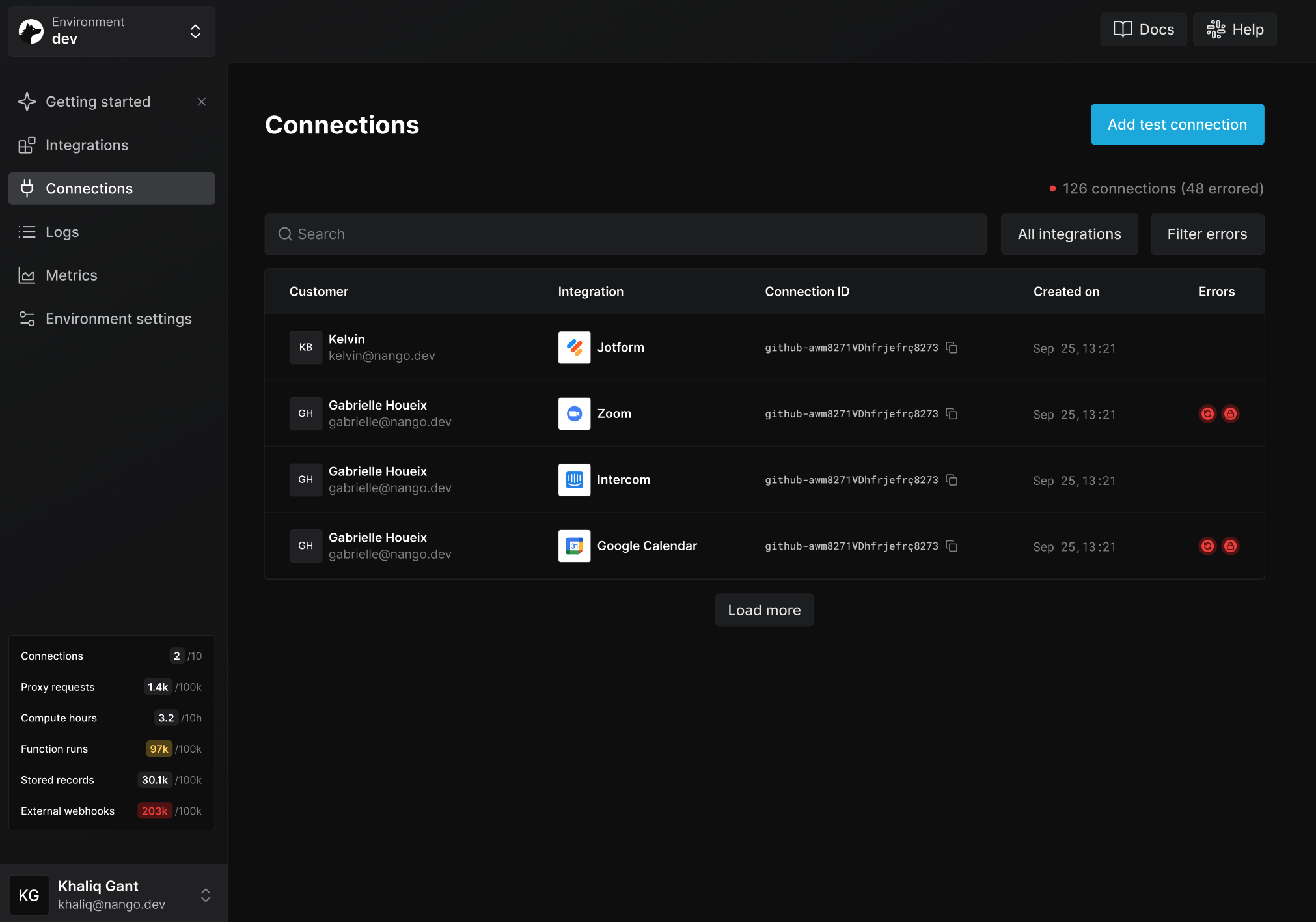
To make connections easier to identify in the Nango dashboard, set end_user_display_name and end_user_email. Nango uses these reserved UI tag keys to populate the connections list and connection detail page.
Tags are designed for identifiers and routing metadata. Avoid putting secrets or large/free-form payloads in tags.
When requesting a new Connect session token from Nango, pass a tags object:
import { Nango } from '@nangohq/node';
const nango = new Nango({ secretKey: process.env['<NANGO-API-KEY>'] });
api.post('/sessionToken', async (req, res) => {
const { data } = await nango.createConnectSession({
tags: {
end_user_id: '<END-USER-ID>',
end_user_email: '<END-USER-EMAIL>',
organization_id: '<ORGANIZATION-ID>'
},
allowed_integrations: ['<INTEGRATION-ID>']
});
res.status(200).send({ sessionToken: data.token });
});
curl --request POST \
--url https://api.nango.dev/connect/sessions \
--header 'Authorization: Bearer <NANGO-API-KEY>' \
--header 'Content-Type: application/json' \
--data '{
"tags": {
"end_user_id": "<END-USER-ID>",
"end_user_email": "<END-USER-EMAIL>",
"organization_id": "<ORGANIZATION-ID>"
},
"allowed_integrations": [
"<INTEGRATION-ID>"
]
}'
These tags appear in successful auth webhooks sent by Nango:
{
"type": "auth",
"operation": "creation",
"success": true,
"connectionId": "<CONNECTION-ID>",
"tags": {
"end_user_id": "<END-USER-ID>",
"end_user_email": "<END-USER-EMAIL>",
"organization_id": "<ORGANIZATION-ID>"
}
}
Use these values to reconcile the generated connectionId with the user, organization, or workspace that initiated the flow in your application.
Nango stores tags on the connection itself.
Read with Node
Filter with Node
Filter with cURL
import { Nango } from '@nangohq/node';
const nango = new Nango({ secretKey: '<NANGO-API-KEY>' });
const connection = await nango.getConnection('<INTEGRATION-ID>', '<CONNECTION-ID>');
console.log(connection.tags);
import { Nango } from '@nangohq/node';
const nango = new Nango({ secretKey: '<NANGO-API-KEY>' });
const { connections } = await nango.listConnections({
tags: {
end_user_id: '<END-USER-ID>',
organization_id: '<ORGANIZATION-ID>'
},
limit: 100
});
console.log(connections);
curl --request GET \
--url 'https://api.nango.dev/connections?tags[end_user_id]=<END-USER-ID>&tags[organization_id]=<ORGANIZATION-ID>' \
--header 'Authorization: Bearer <NANGO-API-KEY>' \
--header 'Content-Type: application/json'
Filtering uses an AND match: a connection must contain all provided tag keys and values.
If you need to update tags after a connection is created, patch the connection:
import { Nango } from '@nangohq/node';
const nango = new Nango({ secretKey: '<NANGO-API-KEY>' });
await nango.patchConnection(
{
connectionId: '<CONNECTION-ID>',
provider_config_key: '<INTEGRATION-ID>'
},
{
tags: {
end_user_id: '<END-USER-ID>',
end_user_email: '<END-USER-EMAIL>',
organization_id: '<ORGANIZATION-ID>',
environment: '<ENVIRONMENT>'
}
}
);
curl --request PATCH \
--url 'https://api.nango.dev/connections/<CONNECTION-ID>?provider_config_key=<INTEGRATION-ID>' \
--header 'Authorization: Bearer <NANGO-API-KEY>' \
--header 'Content-Type: application/json' \
--data '{
"tags": {
"end_user_id": "<END-USER-ID>",
"end_user_email": "<END-USER-EMAIL>",
"organization_id": "<ORGANIZATION-ID>",
"environment": "<ENVIRONMENT>"
}
}'
Updating tags replaces the whole tag object. If you want to add or remove a single tag, fetch the current connection first, merge locally, then patch.
Reserved UI tag keys
Two tag keys are reserved for improving the Nango dashboard UI:
end_user_display_name - shown instead of the connection ID in the connections list, making it easier to identify who a connection belongs to.
end_user_email - shown alongside end_user_display_name in the connections list. The domain from the email address is also used to display the end user’s company logo on the connection detail page.
Tag rules
end_user_email must be a valid email address, for example user@example.com.
- Tag keys are lowercased, so
End_User_Email and end_user_email are treated as the same key.
- Keys are case-insensitive, and duplicate keys after normalization are rejected.
- Keys must start with a letter and contain only alphanumerics, underscores, hyphens, periods, or slashes.
- Keys can be up to 64 characters long.
- A connection can have up to 10 tag keys.
- Values must be non-empty strings up to 255 characters long.
Connection configuration
Connection configuration is provider-specific information stored on a connection because the connection needs it to work.
It can be required to:
- build an OAuth authorization URL, such as a Zendesk subdomain
- choose the correct API base URL, such as a region or account-specific host
- call API endpoints later, such as a tenant ID, account ID, portal ID, or workspace ID
- store values Nango discovers during authorization, such as an API instance URL or provider account ID
Use connection configuration when the value is part of the connection’s validity. If the value is missing, the connection may fail to authorize, fail credential checks, or be unusable for API requests.
When you use the pre-built Connect UI, Nango generates the required forms for the integration and stores the submitted values as connection configuration.
When you use headless auth with a custom UI, you must collect required connection configuration in your own UI and pass it to nango.auth():
nango.auth('zendesk', {
params: { subdomain: '<ZENDESK-SUBDOMAIN>' }
});
You can also set defaults when creating a Connect session:
const { data } = await nango.createConnectSession({
allowed_integrations: ['<INTEGRATION-ID>'],
integrations_config_defaults: {
'<INTEGRATION-ID>': {
connection_config: {
'<CONFIG-KEY>': '<VALUE>'
}
}
}
});
curl --request POST \
--url https://api.nango.dev/connect/sessions \
--header 'Authorization: Bearer <NANGO-API-KEY>' \
--header 'Content-Type: application/json' \
--data '{
"allowed_integrations": ["<INTEGRATION-ID>"],
"integrations_config_defaults": {
"<INTEGRATION-ID>": {
"connection_config": {
"<CONFIG-KEY>": "<VALUE>"
}
}
}
}'
Read connection configuration from the connection:
const connection = await nango.getConnection('<INTEGRATION-ID>', '<CONNECTION-ID>');
console.log(connection.connection_config);
For the REST API response shape, see Get a connection. For the Node SDK method, see Get a connection with credentials.
Metadata is arbitrary JSON storage on the connection. Use it for information your app or Nango functions need, but that is not a condition for the connection itself to exist.
Good metadata examples:
- field mappings chosen by a customer
- folder, project, board, or object IDs selected during onboarding
- filters and feature flags used by sync functions
- tenant-specific identifiers discovered by your setup flow
- provider webhook subscription IDs used by webhook functions
Do not use metadata for credentials or values required to make the provider connection valid. Use connection configuration for that. Do not use metadata for synced datasets or large lists of records; use the records cache for sync output.
Set metadata after a connection is created:
await nango.setMetadata(
'<INTEGRATION-ID>',
'<CONNECTION-ID>',
{
syncArchived: false,
fieldMapping: {
companyName: 'Account_Name__c'
}
}
);
curl --request POST \
--url https://api.nango.dev/connections/metadata \
--header 'Authorization: Bearer <NANGO-API-KEY>' \
--header 'Content-Type: application/json' \
--data '{
"connection_id": "<CONNECTION-ID>",
"provider_config_key": "<INTEGRATION-ID>",
"metadata": {
"syncArchived": false,
"fieldMapping": {
"companyName": "Account_Name__c"
}
}
}'
Functions can read metadata for the connection they run for:
const metadata = await nango.getMetadata();
For deeper function patterns, see Storage.
Related guides