

When should you use webhooks?
- You want to know about changes in the external API in real time
- You want to build a real-time data sync from the external API to your product
- You don’t want to deal with how each API implements webhooks, subscriptions, or attributing webhooks to users
- You don’t want to build and maintain infrastructure to handle webhook floods, debouncing, etc.
- Listen to “contact updated” webhooks from HubSpot, Attio, etc.
- Trigger an “order” sync run whenever Shopify sends a “new order” webhook
Key facts
- Incoming webhooks are processed by Nango’s infrastructure, which auto-scales and provides tools to handle webhook floods, debouncing, etc.
- Each webhook gets attributed to its corresponding connection (a user or organization that has set up a specific integration)
- Webhooks can be forwarded to your app or trigger a function in Nango for processing
- Webhooks can be combined with syncs to create real-time syncs to your product
- All incoming webhooks create detailed logs in Nango’s logs
How webhooks work in Nango
When Nango receives a webhook from an external API, it first reconciles the webhook with the appropriate integration and connection.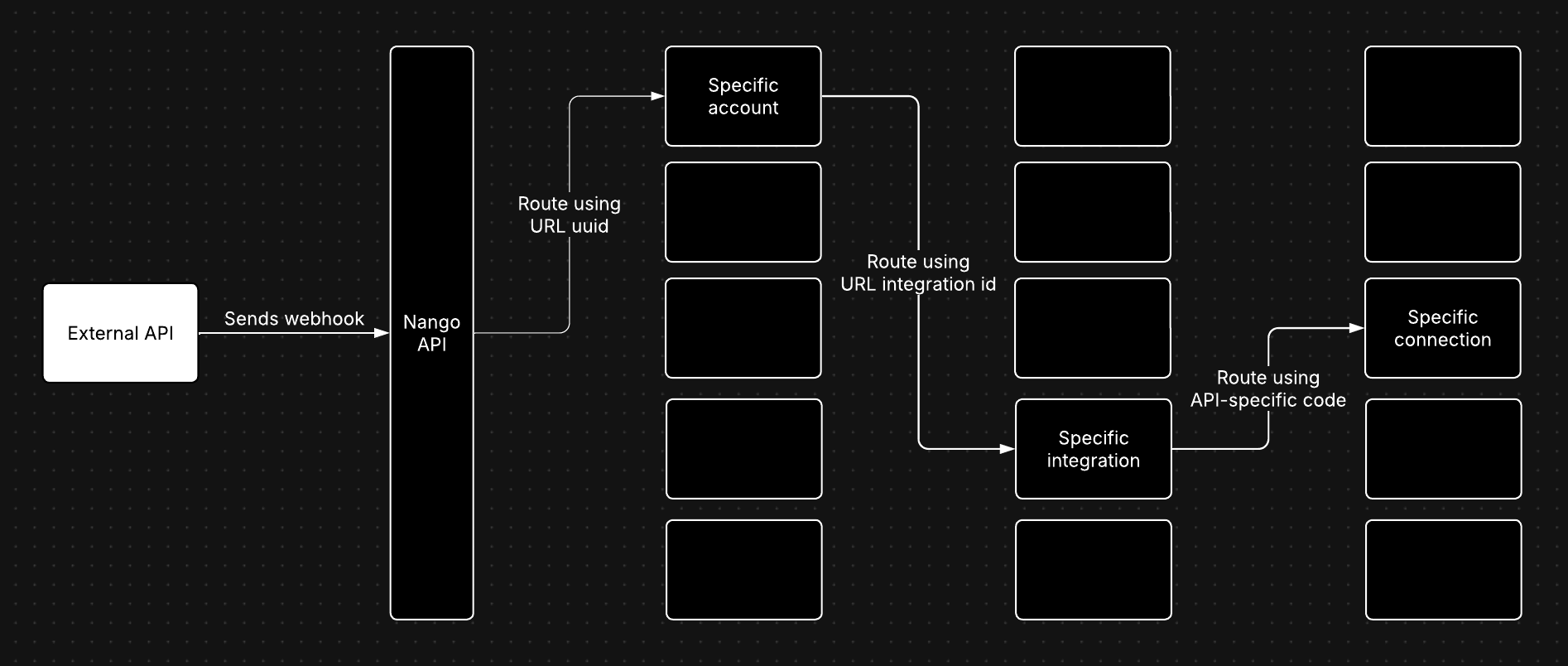
- The UUID (
d91981c1-257a-4a42-adb3-a849da15f0dc) is specific to your Nango account. - The integration ID (hubspot) identifies the integration receiving the webhook.
Forwarding vs. processing in Nango
Forwarding: Nango forwards the webhook from the external API to your webhooks endpoint. This is the default behavior. Processing in Nango: The webhook from the external API triggers a function in Nango. This lets you make additional API requests to the external API and store data in Nango’s sync cache. You can also combine the two: Process the webhook in Nango, fetch additional data from the external API, and then forward the final object as a webhook to your app.Real-time syncs with webhooks + polling
You can combine webhooks and polling syncs into a single, real-time sync. With this setup, both webhooks and polling syncs update the same sync cache in Nango. Nango applies change detection to the objects in the cache and notifies your application when new data is available. This gives you the best of both worlds: the reliability of polling syncs and the real-time updates of webhooks. To set this up, follow our implementation guide for real-time syncs.Supported APIs
Nango currently has off-the-shelf support for the webhooks listed in this folder. If you need webhook support for an API that is not listed there, please request it on the Slack Community or your private Slack Connect channel with Nango. We can backfill webhooks support for most APIs fast.How to setup webhooks with your app
Step 1 - Set up webhooks from Nango to your app
If you have not done so yet, set up webhooks from Nango to your app with our implementation guide.Step 2 - Register webhooks in the external API’s portal
Most external APIs require you to register the URL for receiving webhooks in their developer portal. Provide the Nango URL to receive webhooks, which is accessible in your integration settings in the Nango UI (Integrations tab > pick an integration > Settings sub-tab).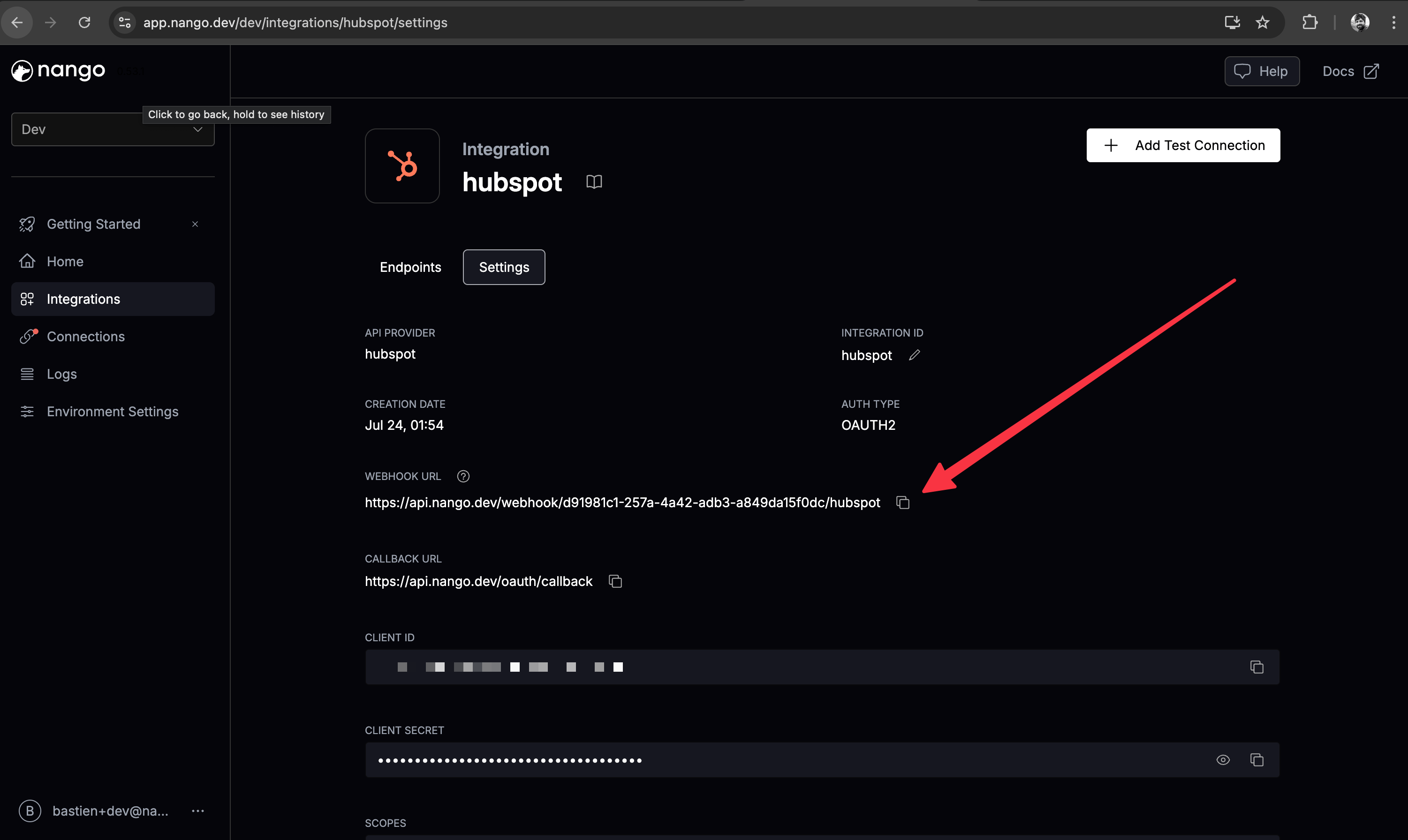
Step 3 - Handle external webhook in Nango
Decide how you want Nango to handle webhooks from the external API:- Forward the webhook to your app -> read on
- Trigger a sync in Nango based on the webhook -> follow the realtime syncs implementation guide
- Both: Forward & real-time sync -> read both