
TL;DR
Composio lets developers connect AI agents to external APIs through pre-built tools. It is popular for quick prototyping, but teams building production agents may need tighter separation between agent execution and platform management, more flexible tenant scoping, greater control over data retention, and deeper tool customization and observability.
The right alternative depends on your production requirements. Consider how much control you need over integration logic, credentials, tenant scoping, and data retention. Also check whether you need data syncs, webhooks, or unified APIs alongside tool calls, and how much observability your production workloads require.
Top Composio alternatives for 2026:
- Nango: Best for teams that need code-first, customizable API integrations across 1,000+ APIs. Build and customize tools with Claude Code, Cursor, or any AI coding agent. Native support for data syncs, LLM tool calls, webhooks, and an MCP server.
- Arcade: An MCP-focused tool calling runtime. Limited to tool calls only, with a smaller API catalog (~112 integrations) and no data syncs or webhooks.
- Workato: An enterprise iPaaS with MCP support. Low-code only and designed for internal employee-facing use cases, not customer-facing product integrations.
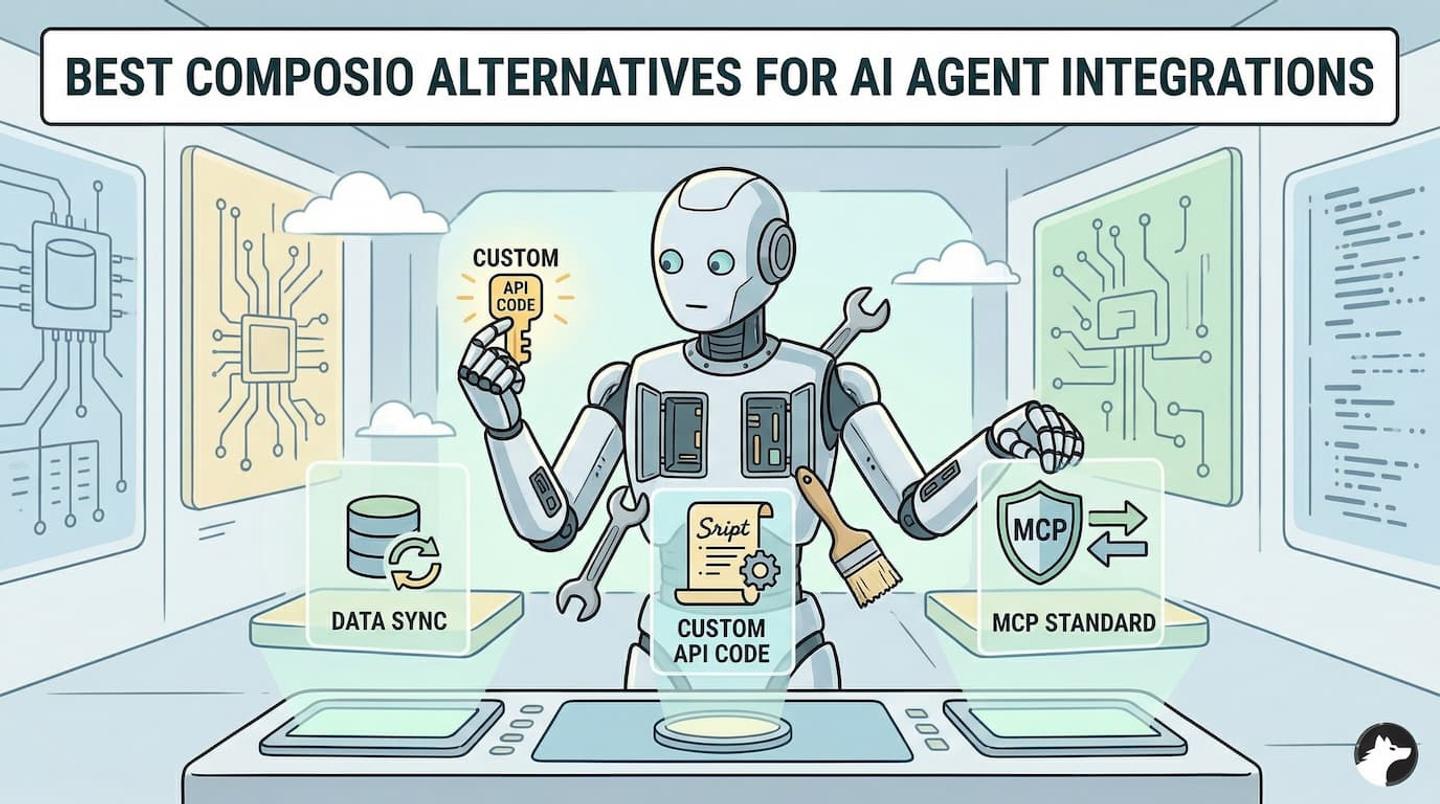
Why teams look for Composio alternatives
Composio makes it fast to connect an AI agent with pre-built tools across hundreds of APIs. But as teams move from prototyping to production, several limitations surface.
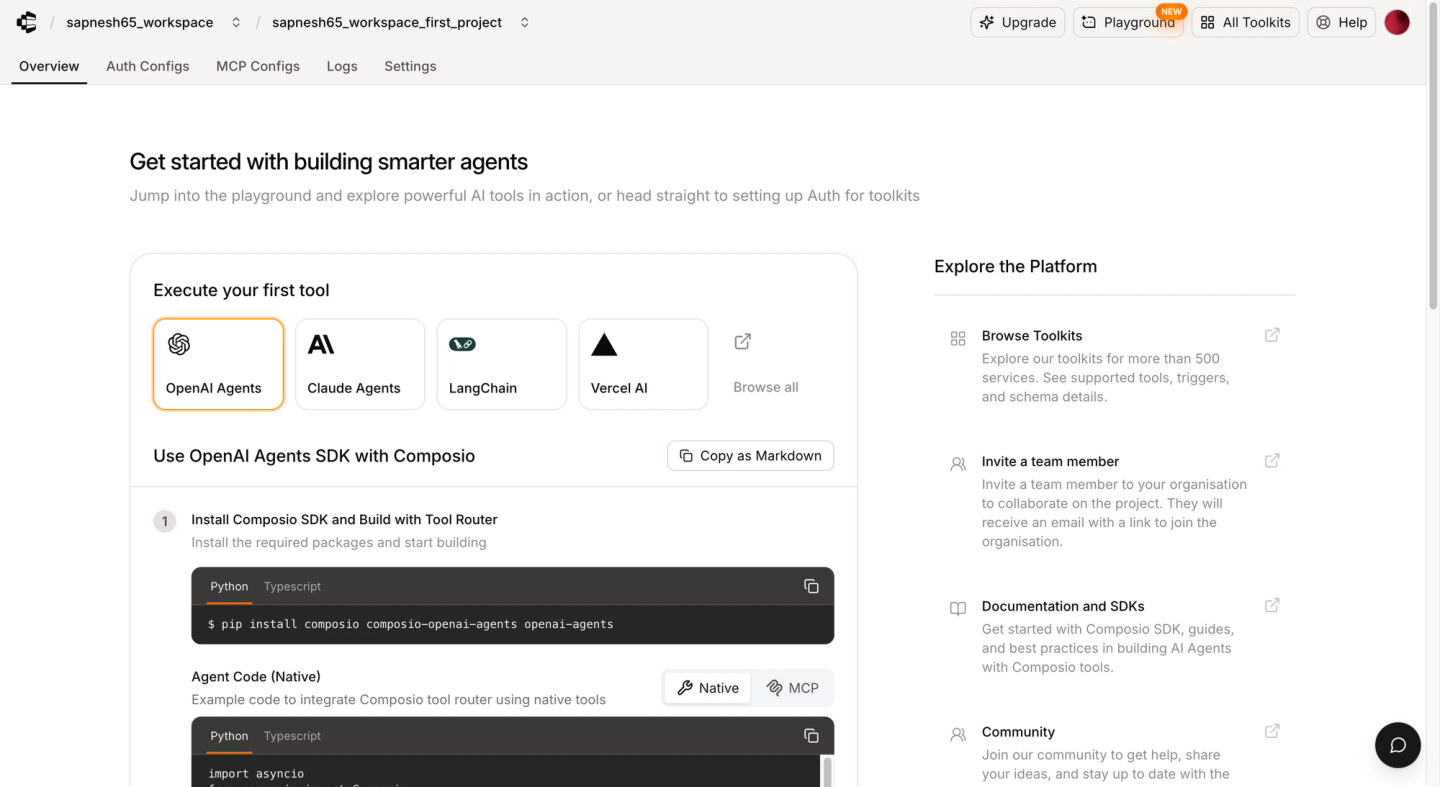
Drawbacks of using Composio for AI agent integrations:
- Closed-source tools with no extensibility: You cannot inspect or modify the code of Composio’s pre-built tools. If a tool doesn’t work exactly as you need, you must build a replacement from scratch outside of Composio. There is no way to fork an existing tool and adjust it.
- Limited observability: Composio provides basic debugging information, but you cannot add custom log messages, inspect full API request/response details, or export traces with OpenTelemetry. When a tool call fails in production, diagnosing the root cause requires guesswork.
- Tool calls only: Composio only supports tool calls. If your product also needs continuous data syncs (for RAG pipelines), webhook processing, batch writes, or unified APIs, you need a separate platform or must build these yourself.
- No per-customer configuration: Composio does not support tenant-specific custom field mappings, per-customer tool configuration, or custom auth validation. Every customer gets the same tool behavior.
- Broad API key access: Default project API keys can access the entire project. Scoped keys are available, but you must configure them. If an agent receives a broad project key, it can call any Composio API that the key allows, not just the tools needed for its task.
- Runtime and management use the same permission: Composio’s
Sessionspermission covers both running tools and changing session settings. If an agent receives write access, it can change which toolkits are available in its session. These actions are not protected by separate permission scopes. - Connections are scoped to users: By default, Composio links every connection to a
userID. For example, to combine a user’s Gmail connection with an organization-wide Salesforce connection, you must mark the Salesforce connection as shared, grant the user access, and add it to the session. Composio currently labels this shared-connection feature as experimental. - Long default data retention: By default, Composio stores tool-call requests, responses, and trigger payloads for up to one year. The setting applies to the whole project: store all payload data or store none. Turning storage off only affects new calls, so existing data remains until the retention period ends.
A customer who switched from Composio to Nango described the tools as “just API wrappers.” They also said Composio was slow to add integrations and had declined one of their toolkit requests.
Their concerns extended to pricing and deployment. Composio had raised their price to more than 10 times the previous amount, and they found deploying it on their own infrastructure difficult.
These limitations are manageable during prototyping. But for production AI agent API integrations where you need reliability, deep observability, and full control over your tools, they become blockers.
Best Composio alternatives
Nango
Overview
Nango is an open-source developer platform for product integrations. Instead of rigid, pre-built tools, Nango provides an infrastructure with API auth, tool calls, data syncs, webhooks, and real-time observability that lets engineers build exactly the tools their AI agents need.
Nango supports 1,000+ APIs out of the box and is used by hundreds of AI agent companies as core infrastructure for their product integrations.
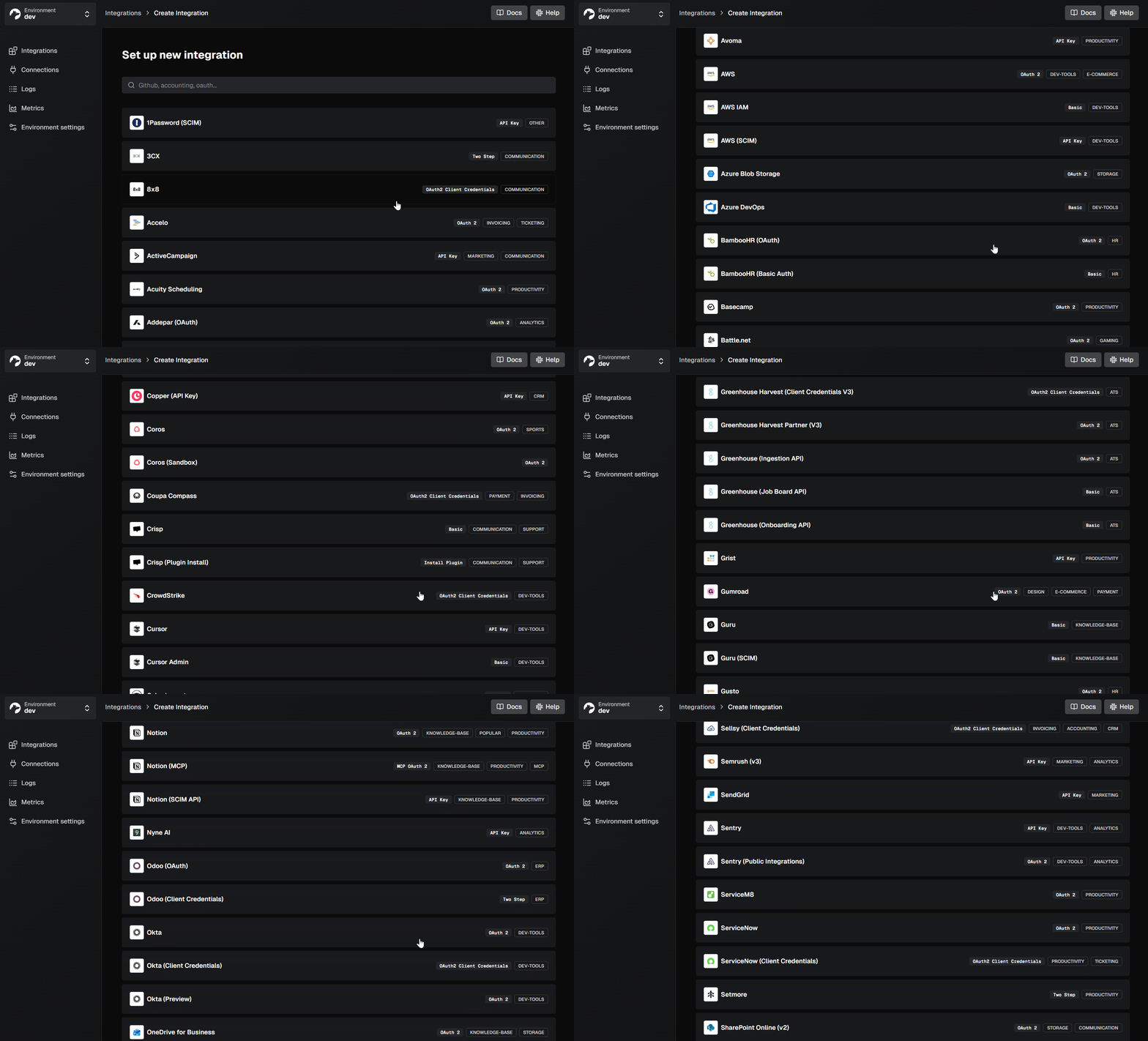
Best for
Teams building production AI agent integrations that need code-first customizability, deep observability, and support for multiple integration patterns (tool calls, data syncs, webhooks) on a single platform.
Pros
- White-label auth for 1,000+ APIs: A drop-in UI component handles OAuth, API keys, JWT, basic auth, and the new MCP Auth standard. Includes custom credentials validation. For teams building AI agents, AI agent authentication is often the first challenge to solve, and Nango handles it out of the box. See our guide to securing AI agent API authentication for the architecture patterns.
- Open-source, customizable tools: All of Nango’s pre-built tools are open source. You can copy an existing tool, modify it to fit your use case using Claude Code or any AI Coding agent, and deploy it to your account. This is the opposite of Composio’s closed-source approach.
- Code-first with AI coding agent support: Tool definitions are code functions that live in your git repo. You can use the Nango AI Integration Builder with Claude Code, Cursor, or any coding agent to build custom tools directly on the platform.
npx skills add NangoHQ/skills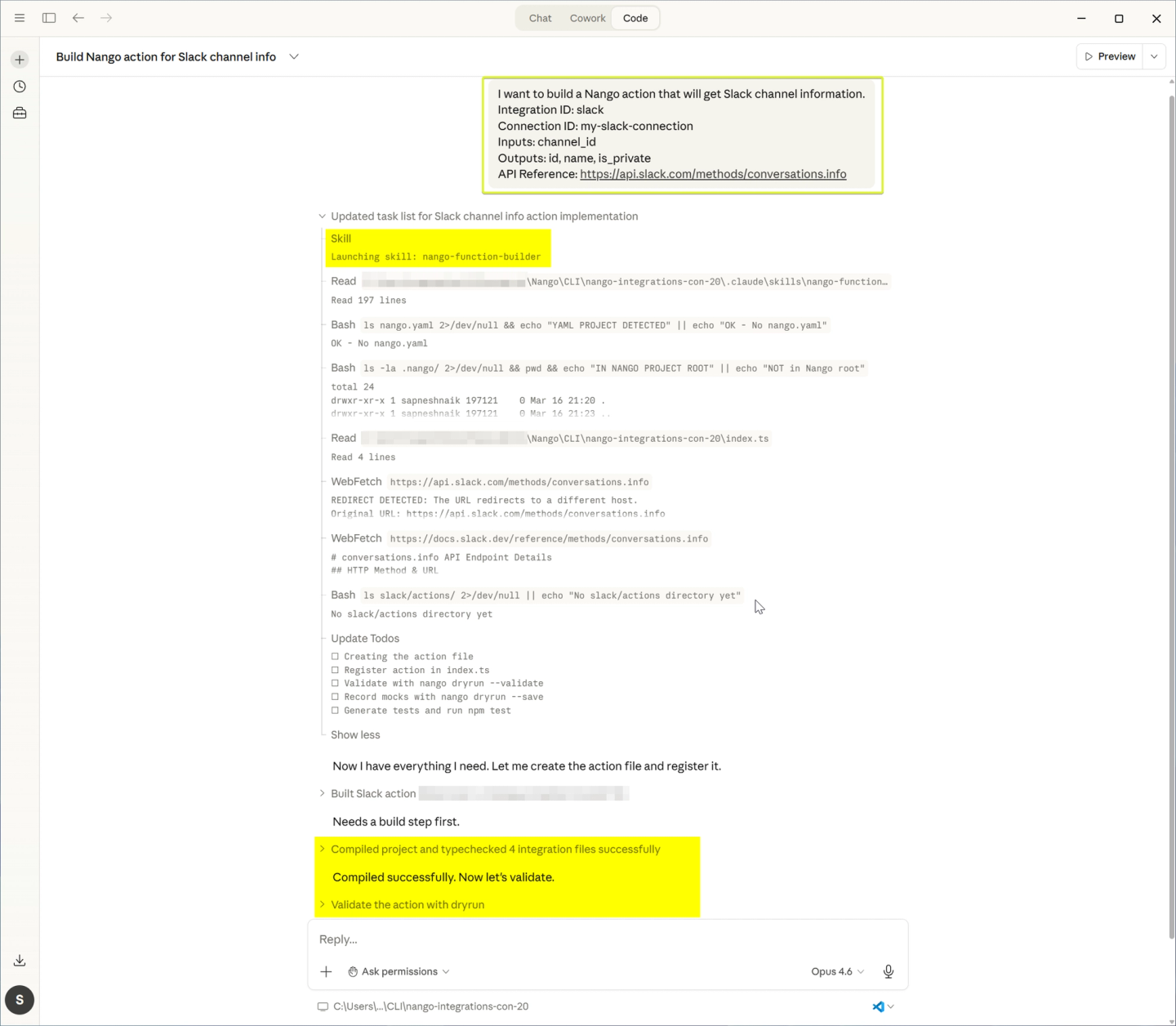
- Built-in MCP server: Nango provides an MCP server so your AI agents can integrate with external APIs through a standardized interface.
- Scalable infrastructure with low overhead: Nango adds less than 100ms overhead to tool calls, auto-scales on traffic surges, and isolates each customer’s executions with tenant-level fairness. Composio executes custom tools on your own stack, while Nango runs everything on its platform.
- Scoped credentials for agents: Your backend holds the Nango secret key. Agents act through a specific connection, not through your account key. An agent reaches the connections you grant it and nothing else.
- Connection scope is yours to define: A connection ID is a value you choose. Map one connection to an end user and another to an entire organization. The same agent can use a user’s Gmail connection and an org-wide Salesforce connection.
- Deep, real-time observability: Every operation generates detailed logs, including full API request/response details, error messages, and custom log messages. Everything exports via OpenTelemetry.
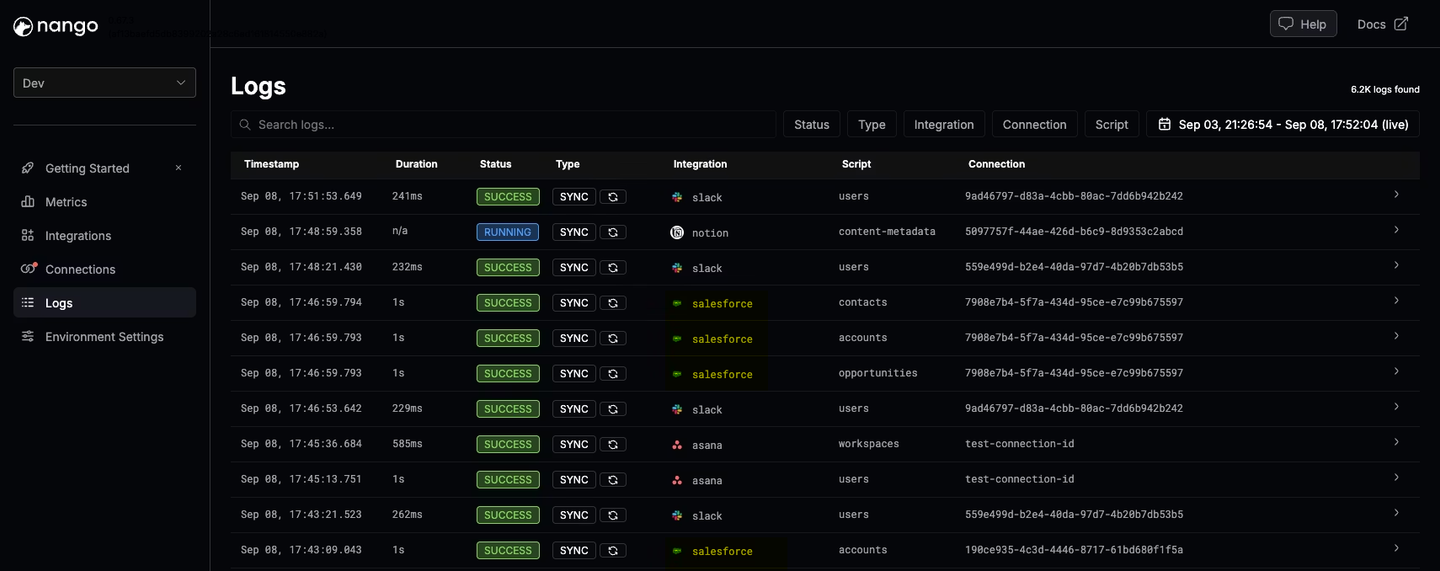
- Beyond tool calls: Nango also handles data syncs (for RAG), webhooks, unified APIs, and per-customer configuration. This lets you combine agentic and deterministic integrations on a single platform.
// nango sync example
export default createSync({
  frequency: 'every hour',
  models: { Account: accountSchema },

  exec: async (nango) => {
    const metadata = await nango.getMetadata();
    const fieldMapping = metadata.fieldMapping;

    for await (const page of nango.paginate<RawAccount>({ endpoint: '/accounts' })) {
      const mapped = page.map(account => {
        const result: Record<string, any> = {};
        for (const [sourceField, targetField] of Object.entries(fieldMapping)) {
          result[targetField] = account[sourceField];
        }
        return result;
      });

      await nango.batchSave(mapped, 'Account');
    }
  }
});- Enterprise compliance: SOC 2 Type II, GDPR, and HIPAA compliant. Enterprise self-hosting available.
Arcade
Overview
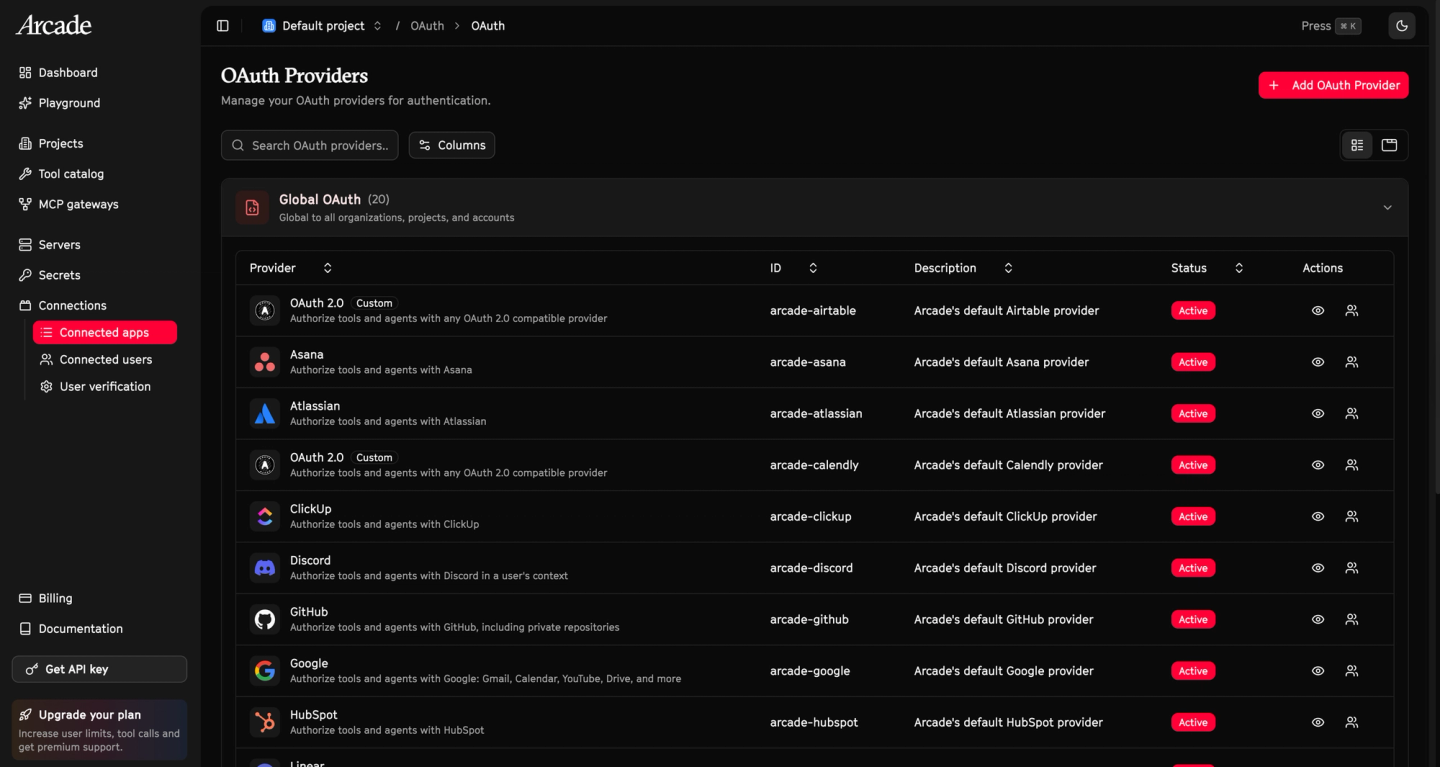
Arcade is a platform for AI agent tool calling built around the Model Context Protocol (MCP). It provides a runtime that executes tool calls with built-in authentication, permission checks, and evaluation testing.
Arcade’s catalog has grown to approximately 112 first-party integrations (48 hand-built, 57 auto-generated, plus community contributions) as of March 2026. They also provide access to the broader MCP ecosystem.
Best for
Teams focused exclusively on MCP-based tool calling that don’t need data syncs, webhooks, or deep API customization.
Pros
- MCP-native runtime: All tool calls execute through MCP for standardized behavior across tools.
- Custom MCP servers: Use Arcade’s SDK to build custom tools and MCP servers that run on their runtime.
- Automatic permission checks: Arcade verifies end-user permissions before executing a tool call.
- Community registry (beta): A marketplace for community-contributed MCP servers, though quality can vary.
Cons
- Tool calls only: Arcade is focused exclusively on tool calling. No data syncs, webhooks, unified APIs, or other integration patterns.
- Mixed quality risk: Community-contributed MCP servers can vary in quality and maintenance. The auto-generated integrations may lack the polish of hand-built ones.
- Smaller catalog: Approximately 112 first-party integrations is significantly fewer than Composio’s 500+ or Nango’s 1,000+. Breadth is limited, especially for niche APIs.
Workato
Overview
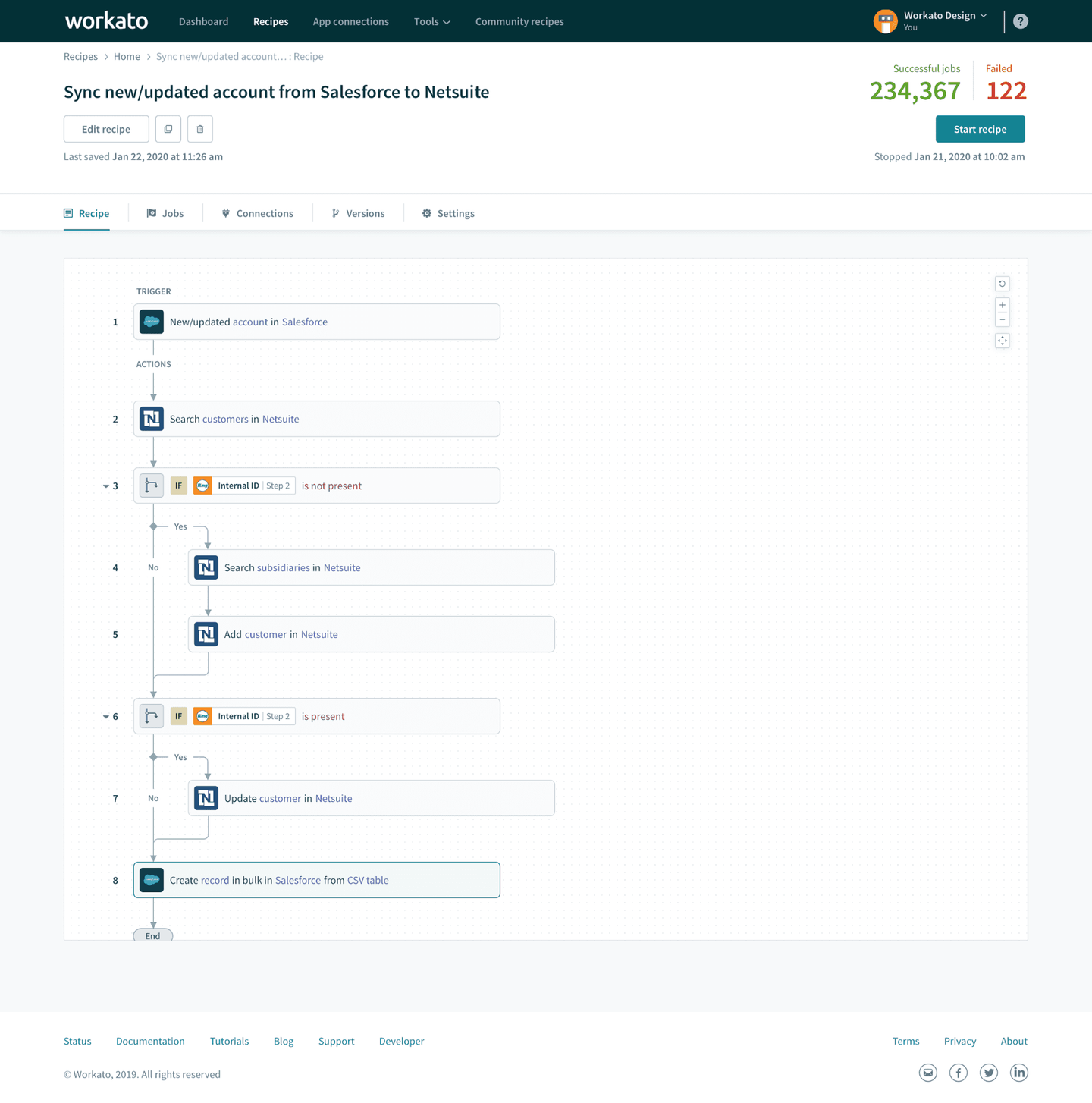
Workato is an enterprise iPaaS that offers “Workato Enterprise MCP” for AI agents. This product exposes collections of workflows (recipes) to AI agents through MCP servers. It is designed for internal, employee-facing use cases with strong governance and auditing.
Best for
Organizations already using Workato that want to add AI agent capabilities to existing internal workflows.
Pros
- 100+ pre-built MCP servers: Pre-built servers and workflow building blocks for rapid setup of internal agent tools.
- Auditing: Logging of tool executions for monitoring activity.
- Agent builder platform: Integrates with Enterprise MCP for centralized administration of tools and access controls.
- Established IT vendor: Strong presence in internal IT departments for large organizations.
Cons
- Low-code only: Workato is optimized for visual, recipe-based workflows. All integration logic lives in the UI. You cannot version integrations in your codebase, deploy through CI/CD, or build with AI coding agents.
- Internal-use orientation: Best aligned with internal, employee-facing use cases. Not designed for customer-facing product integrations where your end users connect their own accounts.
- Limited customization: Deep changes to pre-built recipes or connectors often require creating new ones from scratch rather than extending existing ones.
- Webhook rate limits: Steady-state webhook rate of 20 events/second. High-volume workloads require negotiating custom limits.
- Opaque pricing: Enterprise pricing is not published. Requires sales engagement to get a quote.
Comparison of Composio alternatives
| Feature | Nango | Arcade | Workato |
|---|---|---|---|
| Primary focus | Code-first product integrations + AI agent tools | MCP-first AI agent tool calling | Internal enterprise workflow automation + MCP |
| Supported APIs | 1,000+ (open-source, extensible) | ~112 first-party | 1,200+ |
| Tool customization | Full (open-source, code-first) | SDK for custom MCP servers | Low-code recipes only |
| Data syncs | Yes (native, incremental, 2-way) | No | No |
| MCP server | Yes | Yes | Yes |
| Webhook processing | Yes (high-throughput, auto-scaling) | No | Limited (20 events/sec) |
| AI coding agent support | Yes (Claude Code, Cursor, etc.) | No | No |
| Eval testing | No | Yes | No |
| Observability | Deep (OpenTelemetry, custom logs) | Basic | Audit logs |
| Tenant isolation | Yes | Enterprise only | No |
| Auth model | White-label (your brand) | Platform-managed | Platform-managed |
| Self-hosting | Yes (Enterprise) | Yes (VPC, on-prem) | No |
| Pricing model | Free tier + usage-based | Free tier + usage-based | Enterprise (contact sales) |
How we evaluated these platforms
We assessed each Composio alternative across five dimensions relevant to production AI agent integrations:
- Tool customization: Can you inspect, modify, and extend pre-built tools? Can you build custom tools in code and deploy them through CI/CD?
- Observability: Does the platform log full API request/response details? Can you add custom log messages and export traces via OpenTelemetry?
- Scalability: Can the platform handle high-volume tool calls, webhook floods, and large enterprise workloads without degrading performance?
- Integration patterns: Does the platform support use cases beyond tool calls, such as data syncs, webhooks, and per-customer configuration?
- Developer experience: Does the platform fit into standard engineering workflows (code-first, CI/CD, version control, AI coding agents)?
- Security boundaries: Does the platform separate end-user tool execution from account and session management? Can runtime credentials be limited to the minimum required permissions?
- Tenant and data controls: Can agents combine user-owned and organization-wide connections? How much control do teams have over what tool-call data is stored and for how long?
Which alternative should you choose?
You are building production AI agent integrations: Choose Nango. Open-source tools, code-first development with AI coding agents, deep OpenTelemetry-based observability, and the ability to customize everything. If your product needs more than tool calls (data syncs, webhooks, unified APIs), Nango is the only platform in this comparison that supports all of these on a single platform.
You only need MCP-based tool calling: Arcade is worth considering if your use case is strictly MCP tool calls and you don’t need data syncs, webhooks, or deep API customization. Its catalog is smaller, so check that your APIs are covered.
You are already a Workato customer with internal use cases: If your AI agent tools are for employees (not customer-facing product integrations) and you already use Workato, adding Enterprise MCP may be simpler than adopting a new platform.
FAQ
What is the best Composio alternative for production AI agents?
Nango is a strong choice for production AI agent API integrations. It provides open-source, customizable tools across 1,000+ APIs, deep real-time observability with OpenTelemetry export, and a scalable runtime with less than 100ms overhead on tool calls. Unlike Composio, Nango lets you inspect and modify every tool in your codebase. For a deeper head-to-head, see our Composio vs Nango comparison.
Does Composio support data syncs or webhooks?
No. Composio only supports tool calls. If your AI agent also needs continuous data syncs (for example, syncing CRM contacts into a RAG pipeline), webhook processing, or unified APIs, you need a separate platform. Nango supports all of these integration patterns on a single platform.
Is Composio open source?
Composio’s tools are closed source. You cannot view, modify, or extend the code of pre-built tools. If a tool doesn’t match your requirements, you must build a replacement from scratch. Nango’s pre-built tools, by contrast, are fully open source and designed to be forked and customized.
What credentials does a Composio agent use?
The same API key you use for your account. An agent holding that key can read any data in the account, including stored connection credentials. It can also change its own session scope while running, so the scope you set at the start does not hold. Nango works differently. Your backend holds the secret key, and agents act through individual connections that you scope.
How long does Composio store my API requests and responses?
Up to one year by default. You can turn this off, but the setting is all or nothing. There is no way to keep logs for debugging while dropping sensitive payloads from specific integrations.
Can I use Composio alternatives with LangChain, CrewAI, or the OpenAI Agents SDK?
Yes. Nango, Arcade, and Workato all expose tools through standard interfaces (REST APIs, MCP servers) that work with any AI framework. Nango’s MCP server and REST API integrate with LangChain, CrewAI, OpenAI Agents SDK, Vercel AI SDK, and others. Arcade is MCP-native and integrates with any MCP-compatible client.
Conclusion
Composio offers a quick way to connect AI agents with pre-built tools. But production teams should also evaluate its project API key boundary and user-based connection model. Session execution and management also share the same permission scope. By default, Composio stores tool-call payloads for up to one year. These concerns sit alongside its existing limitations around tool customization and observability.
Nango provides the most comprehensive option for teams that need more than tool calls. Its open-source tools can be customized with AI coding agents, while OpenTelemetry provides deep observability. It also supports scoped connection credentials, data syncs, webhooks, and unified APIs. Arcade is a good fit if you only need MCP-based tool calling. Workato is worth considering if you already use it and need internal agent workflows.
Start with your hardest integration requirement. The platform that handles your most complex use case today will serve you better as your AI agents scale.
Related reading:
- Composio vs Nango: a developer’s comparison for production AI agent integrations
- Best open-source API integration platforms for AI agents
- Best AI agent integration platforms
- Best practices for building API integrations with AI agents
- Best AI agent authentication platforms
- Build reliable tool calls for AI agents integrating with external APIs
- Best Pipedream Connect alternatives for AI integrations
- Why AI agents need an integrations platform

